Start RLM as User
The RLM server is a single executable file. In principle, it can be started like any other executable by simply clicking on it. However, if started like this, the server will stop running when the user that started it closes the terminal window in which the server is running, or logs out, or shuts down the computer. This is not the behavior needed from a license server, which should be accessible at any time. So, the difficulty in installing a license server is to make sure that the server is running all the time and is accessible from all computers with a GeoDict installation. This is typically achieved by running rlm as a service and must be done by a system administrator.
If you simply want to install RLM locally for yourself for test purposes, you can find the server executables in the GeoDict installation folder:
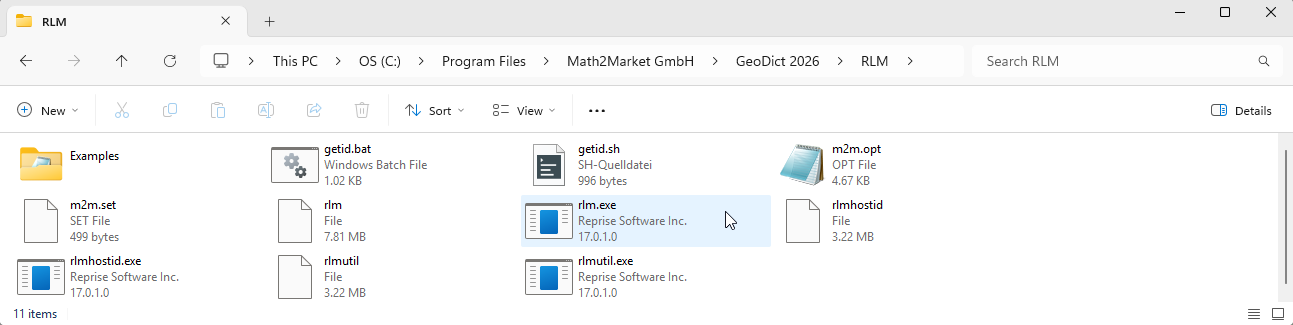
To set up a new RLM license server, copy the whole RLM subfolder to the desired license server host and copy a received GeoDict license file into that folder. Then, start the rlm.exe license server by clicking on it. The license is automatically found and imported in the server.
By default, the license server uses IP ports 5053 (main RLM server) and 42825 (Math2Market ISV server) for communication with GeoDict and 5054 for the web interface. Hence, access the web interface by typing localhost:5054 in the web browser.
