Licensing Error Messages
GeoDict may not recognize the license file and give one of the following error messages:
License error: You cannot run two different GeoDict versions simultaneously on the same host with your license.
Reason: Another GeoDict version is currently running on this host, possibly by another user.
Solution: Make sure all other GeoDict instances are closed before installing the license. If you have multiple floating licenses available, and need to use different GeoDict versions simultaneously, ask support@math2market.de to provide a license that allows simultaneous usage of different versions on the same host.
License error: corrupt
Reason: The chosen file is not a GeoDict license file, or the license file has been modified. This might happen if GeoDict and your e-mail program are used on different operating systems, and a transfer program has changed line ends when saving or moving the .lic file.
Solution: Make sure that the license file is the original file delivered by Math2Market GmbH.
License error: expired / License error: license period has not started yet
Reason: The license is used outside of its licensed time period.
Solution: Contact support@math2market.de to receive a new license file.
License error: -1744 (Wrong GeoDict version or revision)
Reason: This license is either valid for another version of GeoDict or you need to install a newer Service Pack of your current version.
Solution: Download the correct version of GeoDict for the license file.
License error: -1701 (or another number)
Reason: Modifications to the computer hardware have resulted in the license file to become invalid for the computer. Node-locked license files are issued for a specific computer and configuration.
Solution: Contact support@math2market.de with any questions and, if asked to do so, send a newly generated GeoDict License Request (.glr) file following the procedure outlined here.
RLM: acquire error: Bad RLM server host name
Reason: GeoDict cannot connect to the given hostname.
Solution: Check whether the floating license server is set up correctly as described below.
RLM: <License> acquire error: Error communicating with RLM server
Reason: GeoDict cannot find or cannot connect to the floating license server.
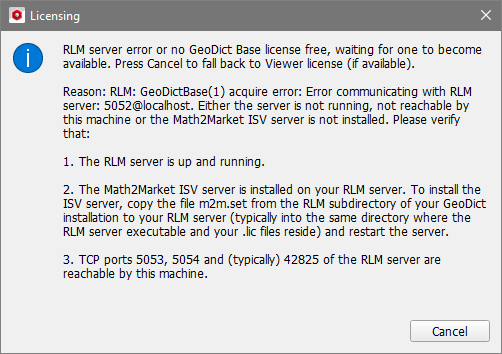
Solution: Check whether the floating license server is set up correctly, as follows:
- Open a web browser on the computer where GeoDict is installed.
- Enter the IP address (or hostname) and web interface port number of the license server (use your own IP address and web interface port number instead of rlmserver:5054).

If the license server is reachable, the license server’s web interface will appear. If the web interface does not appear,
- make sure that the license server is running,
- check if the firewall settings prevent access of the server,
- make sure to use the correct server address and port number.
If the web interface appears, click on the Status button and check that
- the RLM software version is 14 or higher,
- the m2m ISV Server is running,
- and at least one geodictbase license is listed.

If everything is ok on the RLM server, and GeoDict still does not run, most likely the server address encrypted in the .glic file is not correct (e.g., because the port number was changed after the license file was requested). Inform support@math2market.de about the correct server address and port number. The information can be found on the System Info page of the server.
None of the above messages, but the RLM floating license does not work
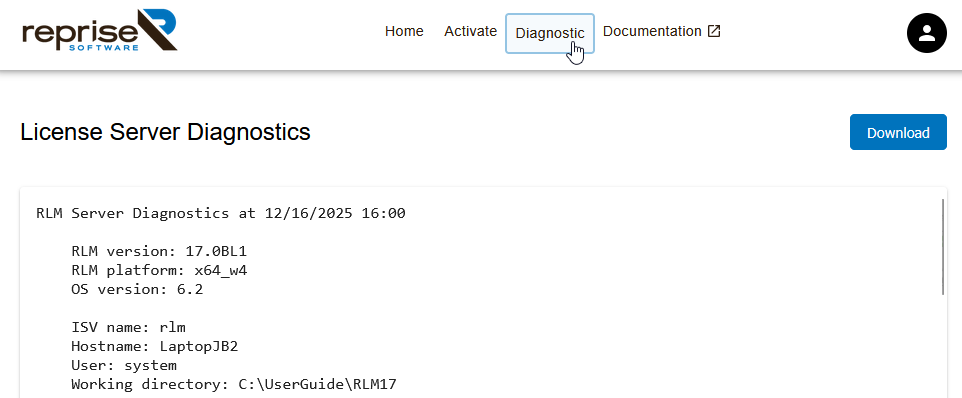
Licensing requires communication between the GeoDict executable and the rlm executable over the local network, and various reasons may cause this to fail. To enable our support team to quickly track the problem, you can create a License Server Diagnostics file by clicking first on the Diagnostic button and then on Download to save the file. Please send this file to support@math2market.de together with a short description of the issue.