Options
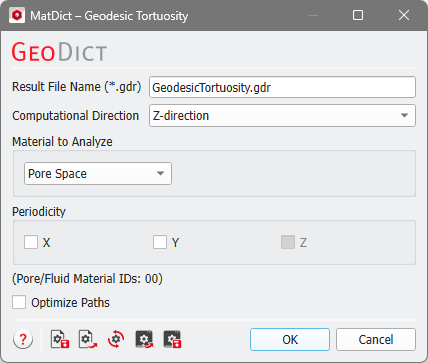
At the top of the Geodesic Tortuosity dialog, enter the Result File Name. The result file is saved in the chosen project folder (File → Choose Project Folder in the menu bar).
 Computational Direction
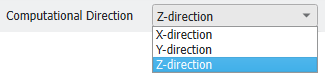
Set the direction of the paths by selecting the Computational Direction.
|
Material to Analyze
The algorithm searches for paths in the selected Material to Analyze, either Pore Space, All Solid Materials, Chosen Material, or a list of Chosen Material IDs.
For your convenience, all Material IDs which denote pore space are shown at the bottom of the dialog.
|
Periodicity
Paths might leave the domain and enter again on the opposite side if Periodicity is selected for one or both tangential directions. The chosen computational direction, however, cannot be chosen to be periodic.
|
Optimize Path
With Optimize Path, the length of the path is optimized after the calculation. This shortens the calculated path by removing voxel staircase artifacts: The algorithm works on the voxel structure and can therefore only find paths which run directly through connected voxels. Therefore, the default method might not always find the best path in structures with large open pores. In these cases, it is recommended to select Optimize Path (see the examples below).
|