|
Navigation: GeoDict 2026 - User Guide > Image Analysis > PoroDict > Bubble Point |
Scroll |
Options
At the top of the dialog, enter the Result File Name. The result file is saved in the chosen project folder (File → Choose Project Folder in the menu bar).


Enter the Wetting Phase Contact Angle and the Non-Wetting Phase Contact Angle, which add up to 180°. They are adjusted automatically when changing one of the two values. For a solid material phase, the fluid with a contact angle smaller than 90° is wetting and the other fluid (with contact angle larger than 90°) is non-wetting. Thus, for the Wetting Phase Contact Angle only values between 0° and 90° are allowed. For bubble point experiments, usually the water is the wetting fluid, while the injected gas is non-wetting. Specify the Surface Tension of the fluids or use the default value of 0.07275 N/m corresponding to the surface tension between water and air at 20°C. |
Choose the direction (X, Y, or Z) in which the pressure will be applied. |
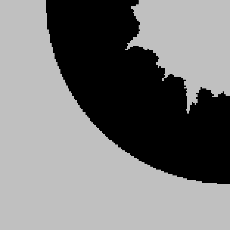
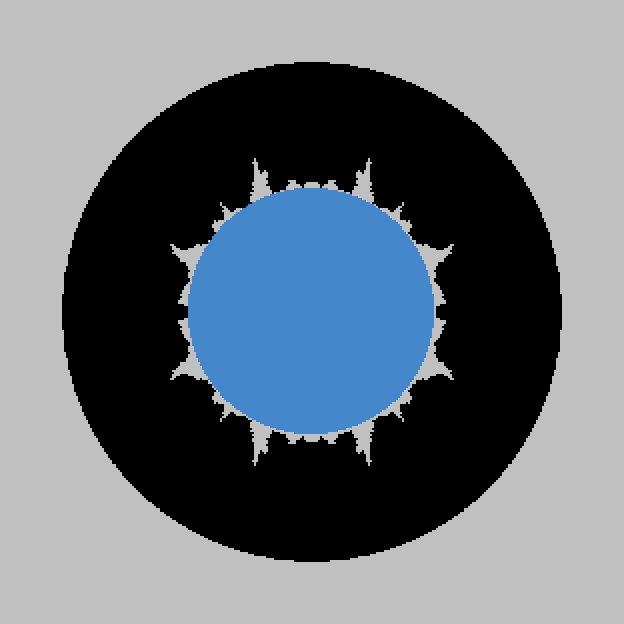
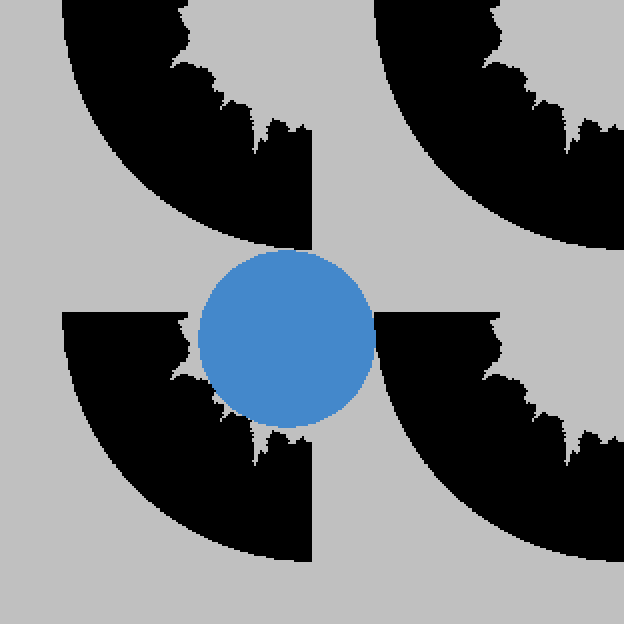
The Domain Boundary Condition in the chosen flow direction is always set to symmetric, for the tangential boundaries you are free to choose other boundary conditions. The Domain Boundary Conditions can be chosen to be Symmetric, Periodic, Encase, or any combinations of those boundary conditions in all three directions with the choice of Expert. Choosing the appropriate boundary condition depends on the structure’s design. For example, imagine a structure with a cross-section as shown below.
For the three boundary condition options the resulting solid size is visualized in blue.
Check Expert to apply different boundary conditions for each direction. You can combine the three above mentioned boundary conditions independently for the directions. For example, the boundary conditions could be chosen to be Encase in X-direction, Symmetric in the Y-direction and Periodic in Z-direction. 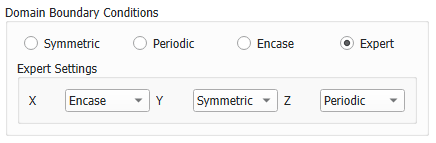 |
To run the calculations in High Resolution might be useful when the path space is expected to be narrow. The standard algorithm computes distances directly on the voxel grid, i.e., when determining a pore size, only the distances from the center of a pore voxel to the center of a solid voxel are taken into account. High Resolution also takes the voxel surfaces and edges into account, so the computed distances correspond to the distance to the next surface or edge. The disadvantage of the High Resolution mode is that the calculation runtime and memory usage may increase by a factor of eight. |
Check Detailed Pore Throat Analysis to enable further geometric analysis of the smallest pore throat, including the location and the size. Multiple candidate throat planes along the percolation path will be tested by constructing planar ray-traced planes with varying tilt angles. The plane with the smallest area will be used for further analysis. This includes calculation of the hydraulic diameter, a detailed plot of the pore throat and enables loading the voxelized pore throat into GeoDict. |
This option is only available if Detailed Pore Throat Analysis is checked. The circumference of the smallest pore throat may exhibit spike-like extrusions, which have a strong influence on the geometrical analysis run. With the Remove Spikes option, those are removed before running the geometrical analysis. We advise to always have a look at the pore throat plot, to identify spikes in the pore circumference. If this is the case, re-run the command with Remove Spikes checked to achieve better results. |
|
Note! Either High Resolution or Detailed Pore Throat Analysis can be chosen, not both at the same time. |

©2026 created by Math2Market GmbH / Imprint / Privacy Policy
