|
Navigation: GeoDict 2025 - User Guide > Simulation & Prediction > BatteryDict > Battery > Analyze Battery |
Scroll |
Results
After successful completion of a battery analysis, the GeoDict Result Viewer opens for the results.

The Results – Report subtab lists the information on the volume fractions of the connected and unconnected part for the different battery components. First, these volume fractions are shown for the whole battery cell, then for anode and cathode separately. The unconnected parts do not contribute to the performance of the battery, a small fraction of unconnected material is therefore desired. 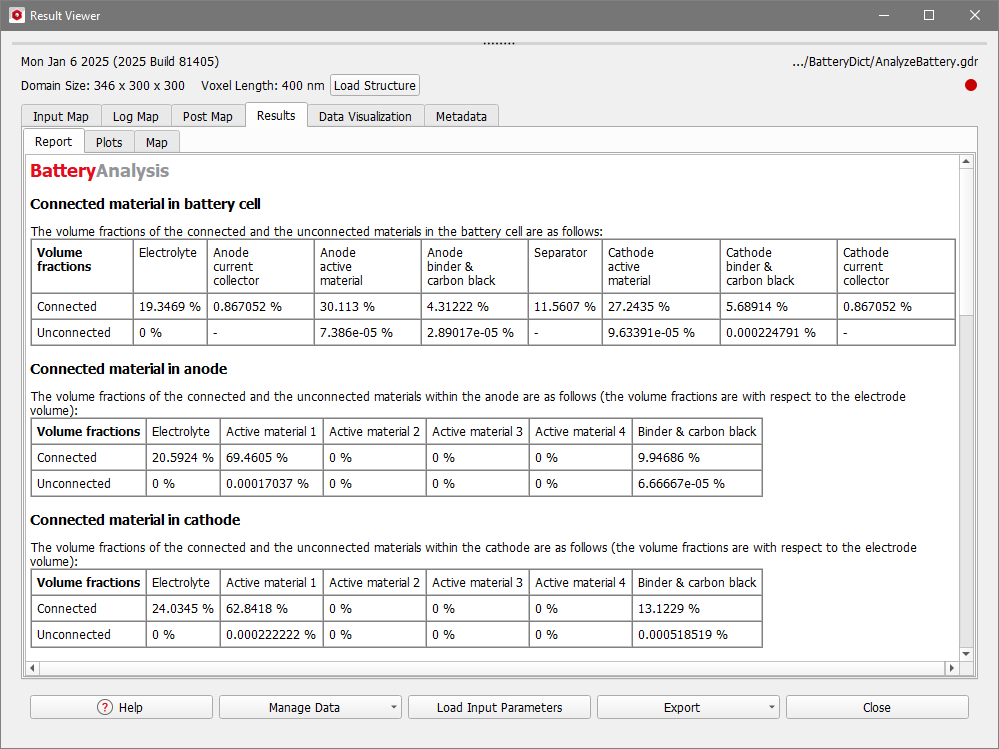 After the information about connected and unconnected parts of the battery, in the Results - Report tab follows a list of the volume and volume fractions of each component for the whole battery cell as well as for anode and cathode separately. This is the same information also shown in the result file of the Battery Designer. |
Under the Results - Plots subtab, the porosity, and the distribution of active material over the whole battery are shown as averaged values over each slice in Y- and Z-direction. This is the same plot as shown for a result file of the Battery Designer. |
To visualize the location of connected and unconnected parts of the battery components, load structure files located in the Analyze Battery result folder from the Data Visualization tab.  Structure files containing the electronic as well as the ionic connections are available for anode and cathode and for the electrolyte connections, also see the result folder. As an example, here the structure for the ionic connection in the electrolyte is shown. No unconnected electrolyte exists in the example battery shown here. The binders and the solid materials are set to invisible in the Color & Visibility tab of the GUI side bar, while the electrolyte is set to visible. Learn more about the visualization options in GeoDict in the Visualization chapter. 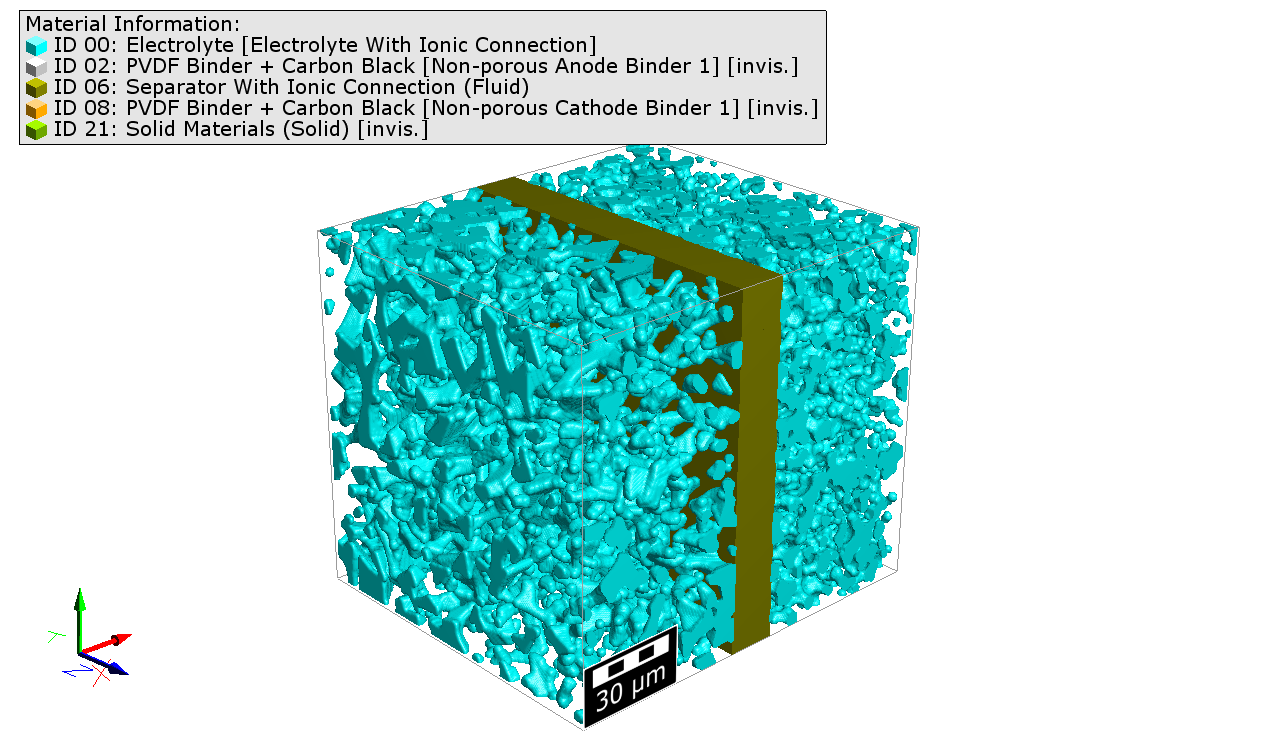 |
After the analysis of a battery structure, a GeoDict result file (.gdr) is created in the selected project folder. A subfolder with the same name as the result file contains the used battery structure (Structure.gdt) and several files generated for or by the analysis: The input structures used for both electrodes (Anode.gdt and Cathode.gdt), as well as the GeoDict structure files showing electronic and ionic connections in the active materials, the electrolyte, and the binder and carbon black are available (CellWith…Connections.gdt).  |
©2025 created by Math2Market GmbH / Imprint / Privacy Policy
