Structure Options
The following Structure Options are available:
- piling in the current domain without keeping the current objects / structure,
- piling in the current domain keeping the current objects / structure, and
- defining how the material IDs should be set.

Pile in Current Domain and Keep Current Objects / Structure
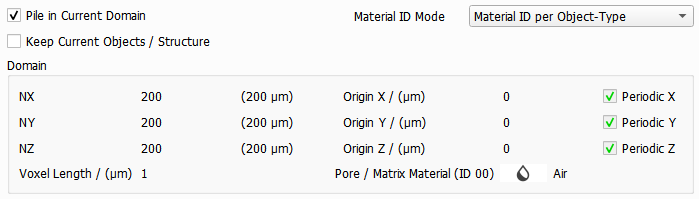
When checking Pile in Current Domain, the structure currently in memory is used in combination with the newly piled fibrous structure.
Note that the domain parameters, grouped under the Domain panel, cannot be modified when the Pile in Current Structure box is checked, because they are kept from the structure already in memory.

Material ID Mode
The Material ID Mode pull-down menu allows selecting between applying the Material ID based on the materials or the types of objects present in the generated structure.

Assigning a Material ID is part of the GeoDict Material Database concept, in which objects in the structure are ascribed to an individual material (e.g. glass, cellulose, PET) with specific physical properties.
If selecting Material ID per Object-Type, every object type selected under the Object Options tab is assigned to a different material ID. Otherwise, the chosen material defines the material ID. Consider for example four object types are chosen, where two of them should be of material cellulose and two should be manual. Then, with Material ID per Material selected, the resulting structure consists of only two solid material IDs.
