2-Point Correlation
The 2-Point Correlation command computes the probability for two voxels having a certain distance to be similar or equal. For each distance, several voxels are compared if they belong to the same type and a probability is computed based on this information. If two voxels are correlated, the probability is 1, if they are not correlated, for example in a completely random structure, the probability is 0. Then an average probability for each distance is given as result.
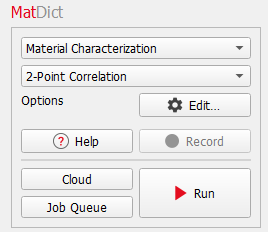
The 2-Point Correlation dialog opens when clicking the Edit… button.
At the top of the 2-Point Correlation dialog, enter the Result File Name. The result file is saved in the chosen project folder (File → Choose Project Folder in the menu bar).
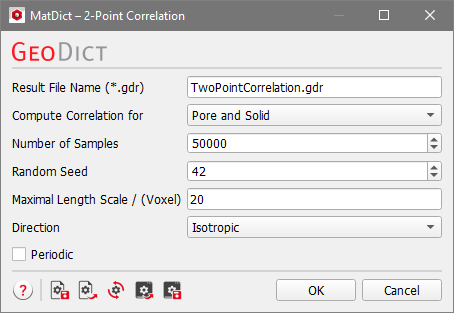
Next, decide to Compute Correlation for either Pore and Solid, Chosen Material or Chosen Material IDs.

Using the mode Pore and Solid, two points are positively correlated if they both belong to Pore or both belong to Solid. They are negatively correlated if one point belongs to pore and the other to solid.
For Chosen Material two points are positively correlated if they belong to the same material. They are negatively correlated if the two points belong to different materials.
For Chosen Material IDs two points are positively correlated if they have the same Material ID. They are negatively correlated if they have different Material IDs.
To find the probability distribution for different distances, several samples of point pairs for each distance are generated. The Number of Samples can be entered in the dialog and the Random Seed can be specified. For different random seeds different randomly chosen points are compared if they belong to the same type. If yes, the autocorrelation value is 1, otherwise -1. For distance 0, the correlation is always 1, since a voxel has always the same property as itself. Then for each distance an average probability is computed, which is more accurate the more samples are taken.
The Maximal Length Scale / (Voxel) defines the largest distance for which the probability is computed.
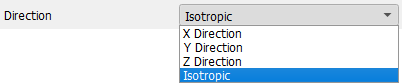
The distance can be measured either in X Direction, Y Direction or Z Direction or in all three directions by choosing Isotropic.
If Periodic is checked, the structure is assumed to be periodic in the chosen computational directions. Thus, the autocorrelation repeats periodically for distances larger than the domain size. If Periodic is not checked, only distances smaller or equal than the domain size in the computational direction are allowed. If Isotropic is chosen as direction, the distance is not allowed to be larger than the smallest domain length.
Topics of this section |
|---|
|
