Structure
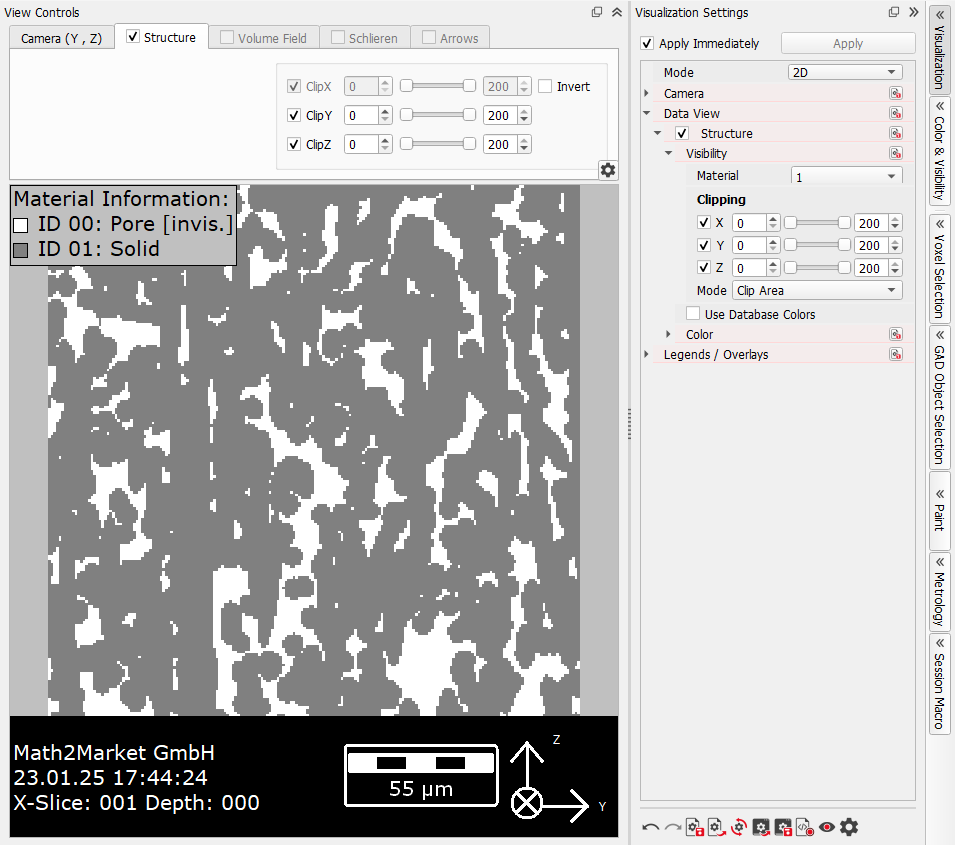
The parameters that control the visualization of the structure in 2D are under the Structure tab of the View Controls and, with a few more choices, in the GUI Sidebar under the Data View u Structure tree as well. The Structure tab is selectable when a structure is loaded and it is checked by default.
By unchecking the Structure tab, the structure disappears from the Visualization area because the display is disabled. Only the Material Legend, a white rectangle showing the domain, and the Status Bar remain visible.
The same effect is achieved by unchecking  through the View menu or from the Visualization tab of the GUI Sidebar.
 Clipping
In the Structure tab, Clipping of the values ClipX, ClipY, and ClipZ allows cutting the displayed geometry in two of the three spatial directions with the sliders or by direct input. The clipping values corresponding to the selected view direction are not available, and thus grayed out.
Additionally, after defining a clipping area with the sliders or direct input, the user can limit this as the area of interest by checking Invert in the View Controls. Only the area defined by the clipping values remains visible in the Visualization area.
In the following example, X was selected for Direction in the Camera tab. Thus, the clipping is done in Y- and Z-direction.
Find the clipping options in the Visualization Settings dialog under Visibility.
There, define which materials should be visible from the Material pull-down menu. This is the same option as the visible checkboxes in the Color & Visibility tab.
|
Color
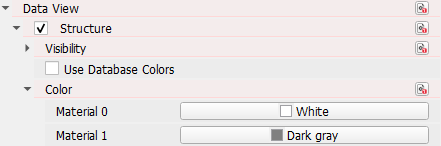
The Structure section in the Visualization Settings dialog allows to set the Visibility and the Color of the materials. They may also be defined in the Color & Visibility tab.
Select Use Database Colors to visualize the materials in the colors saved in the GeoDict material database. The colors are also automatically changed according to the materials, if they are reassigned or a new structure is loaded or generated. For materials set to manual, the colors are not changed. To learn more about the database and how to set material colors, refer to the Material Database handbook.
|