Options
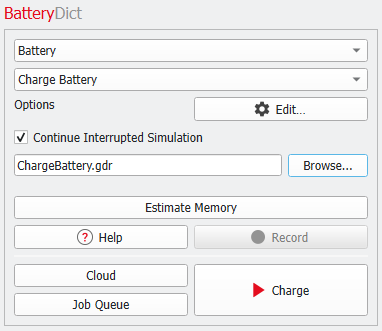
Choose Battery and Charge Battery from the pull-down menus in the BatteryDict section and click Edit to adjust the charging parameters.
Additionally, the options Estimate Memory and Continue Interrupted Simulation become available in the BatteryDict section.
 Continue Interrupted simulation
It is possible to continue a previously interrupted charging simulation.
Check Continue Interrupted Simulation.
Browse for a GeoDict result file, created earlier with the command Battery – Charge Battery, and continue an unfinished simulation by selecting Charge.
Continuing an interrupted simulation is possible, if a previously run charging simulation was stopped from the progress dialog and GeoDict could create a result file.
If the simulation was canceled instead of being interrupted, it is not possible to continue the simulation later
|
Estimate Memory
If you are unsure whether the simulation can be executed on your hardware, use the Estimate Memory button before starting the simulation.
|
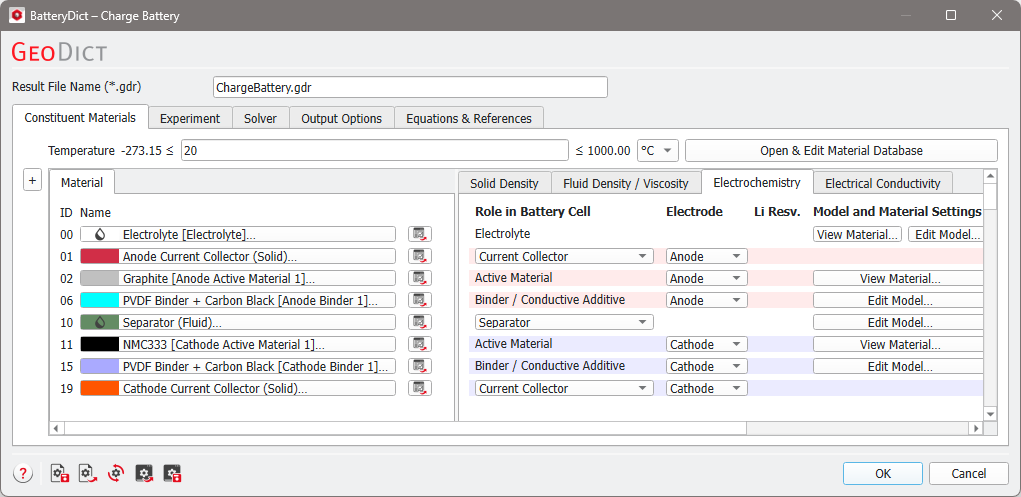
Tabs of Charge Battery:
|
- Constituent Materials
Define the properties for all materials in the battery cell.
- Experiment
Edit the experiment parameters for charging, discharging, or a charging profile.
- Solver
Define the solver and parallelization for the simulation.
- Output Options
Decide which 3D result fields should be saved.
|