|
Navigation: GeoDict 2026 - User Guide > Simulation & Prediction > BatteryDict > Electrode > Charge Homogenized Electrode > Options |
Scroll |
Geometry & Materials
Define the effective parameters of your geometry. At the top define temperature and mass density. If you computed the effective parameters using Charge Electrode, click Load "Charge Electrode" Result.
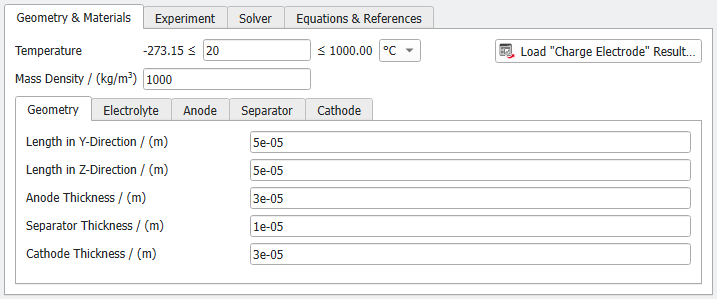
 Load "Charge Electrode" Result
If you computed the effective parameters using Charge Electrode, click Load "Charge Electrode" Result. The parameter values will be loaded in the Geometry & Materials tab. The Experiment and Solver tabs are not affected by this action. |
The Temperature defines the temperature during simulation in Kelvin (K), Celsius (°C), or Fahrenheit (°F). The material properties of active materials and electrolyte can strongly depend on the temperature. This temperature-dependence of the material properties can currently be derived from the entries in the material database only for the electrical conductivity and density. However, the temperature-dependent ionic diffusivity and the exchange current density are not yet available in the material database. Consequently, while the electrical conductivity values can be adjusted based on the selected temperature — provided that the temperature dependence is included in the database entry — the other material parameters must be manually modified to ensure consistency with the chosen temperature. To facilitate comparisons of simulations at different temperatures, we recommend duplicating the relevant materials in the database for each new temperature and updating the material properties accordingly. |
Specify the Mass Density of the structure in kg/m³. Combined with the geometry parameters, this value is used to calculate the mass-normalized cell capacity density. |
Define the Length in Y-Direction and Z-Direction of your battery structure. The X-direction is the charging direction and its length is defined by the thickness of the different components of the battery: Anode Thickness, Separator Thickness, and Cathode Thickness. The anode and cathode thickness do not contain the thickness of the current collectors. 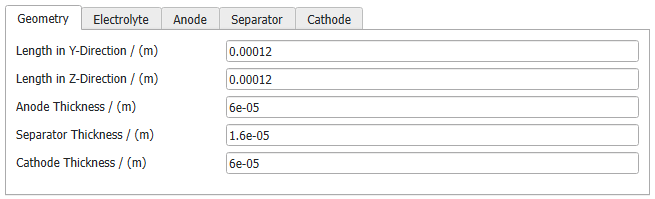 |
Choose a material from the pull-down menu. The material parameters button changes between Edit Material and View Material depending on whether Manual Electrolyte Material is selected. The material selection is generated automatically based on all materials in the GeoDict material database being assigned electrolyte as the Role in Battery Cell under the Electrochemistry tab. If you add your own electrolyte materials, they will also appear in the menu. 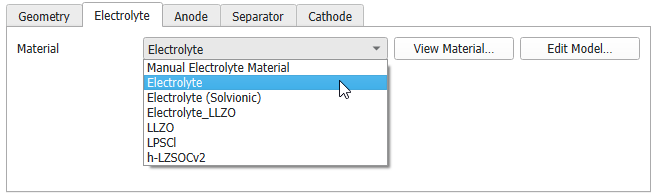 The parameters available under View Material / Edit Material and Edit Model are similar to for the fully-resolved charging simulation. However, concentration dependent parameters are only available for the lithium transference number. |
For the Anode Current Collector enter the Electronic Conductivity in S/m. For Charge Homogenized Electrode the anode is always modeled as a Lithium Reservoir for an half-cell simulation and will be considered as a never-ending reservoir of lithium, not limiting the battery performance. The Maximum Exchange Current Density can be defined in respect to the Electrolyte Lithium Concentration of Exchange Current Measurement. Define the Effective Electronic Conductivity and Specific Surface Area for the lithium reservoir. The specific surface area defines the active surface of the lithium reservoir in the anode. A larger specific surface area reduces the kinetic overpotential.  |
For the Separator enter the Effective Ionic Conductivity, the Effective Ionic Diffusivity and the Electrolyte Volume Fraction. Note, that the electrolyte volume fraction needs to be given relative to the separator volume. 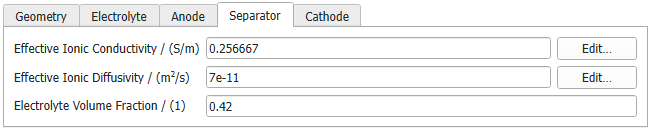 |
For the Cathode Current Collector enter the Electronic Conductivity in S/m. 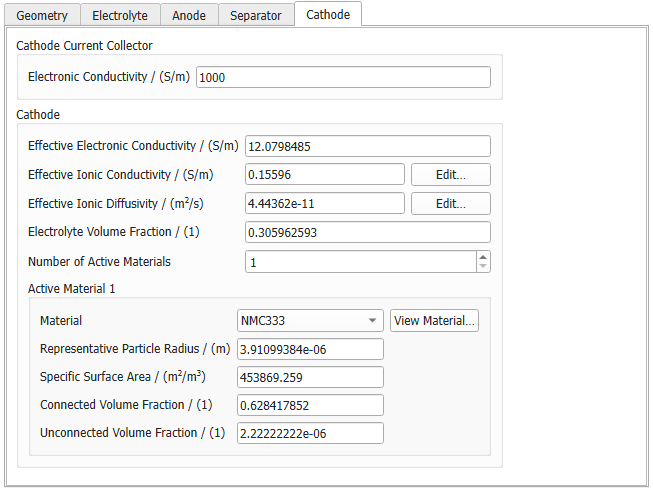 For the Cathode the following parameters need to be defined: Define the Effective Electronic Conductivity, the Effective Ionic Conductivity, the Electrolyte Volume Fraction (relative to the electrode volume), and the Number of Active Materials in the electrode. For all active materials select the Material from the pull-down menu. The material selection is generated automatically based on all materials in the GeoDict material database being assigned active material as the Role in Battery Cell under the Electrochemistry tab. If you add your own active materials, they will also appear in the menu. Either select a material from the database or select Manual Active Material. Then, view / edit the the simulation parameters Maximum Lithium Concentration, Ionic Diffusivity, Maximum Exchange Current Density, Electrolyte Lithium Concentration of Exchange Current Measurement, and Open-Circuit Potential Function (OCV) Function by clicking View Material / Edit Material. 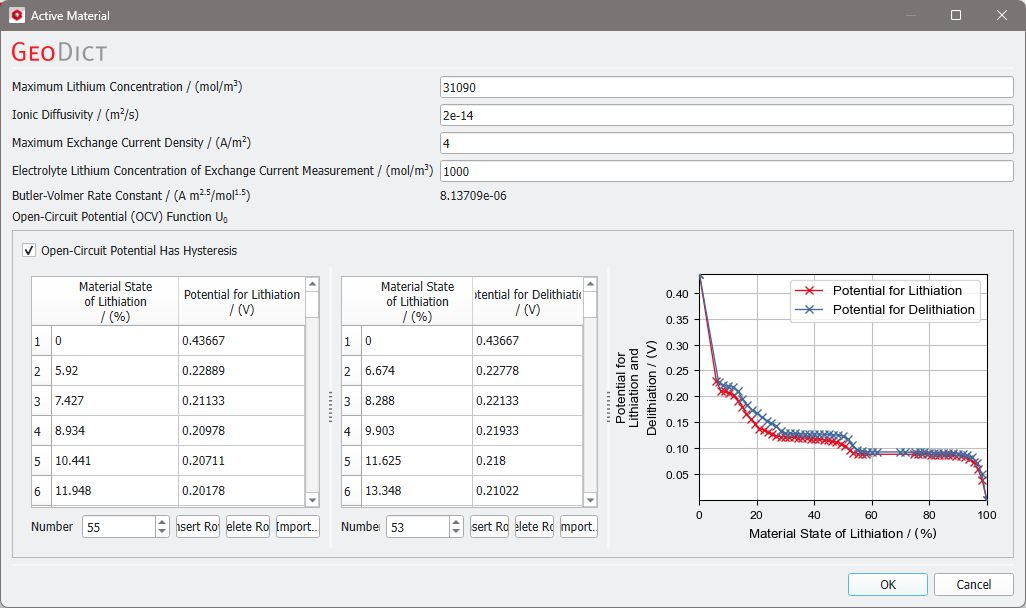 The Representative Particle Radius should be a representative value for the particle size distribution in your electrode. Larger particles lead to higher diffusive overpotentials. Enter the volume of connected active material relative to the electrode volume for Connected Volume Fraction. The Unconnected Volume Fraction is then the volume of unconnected active material. The volume fractions of connected and unconnected material sum up to the total volume fraction of active material relative to the electrode volume. The sum of all volume fractions in the active material (Electrolyte, Connected Volume, and Unconnected Volume) must be not larger than 1. |
©2026 created by Math2Market GmbH / Imprint / Privacy Policy
