Media2Element
This GeoApp allows to convert Filter Media Lifetime simulations to the Filter Element scale.
|
Modules needed to run this GeoApp: FilterDict, FilterDict-Element, FilterDict-Media |

For this, provide a Filter Media Lifetime simulation result (*.gdr file). To be able to create sensible results, the lifetime simulation should
- … consider a representative part of the filter media (REV),
- … use a voxel length such that the filter media is well resolved,
- … run long enough to contain the creation of a filter cake on top of the filter,
- … simulate a significant number of particles of each size in every batch. This is typically achieved by activating ghost particles.
In the app, select a coarser element scale voxel length, such that your filter media thickness is resolved in only a few voxels (the voxel length can even be larger than the media thickness). The app then determines the parameters that describe the filter properties on the coarser scale. It creates a sample structure on the coarser scale and either runs a simulation on it or creates a parameter file to import in Filter Element Lifetime simulations. You can also use the calculated clogging parameters in the Complete Filter scale simulations for the characterization of your pleats.
To run the app, click on the Options Edit… button.
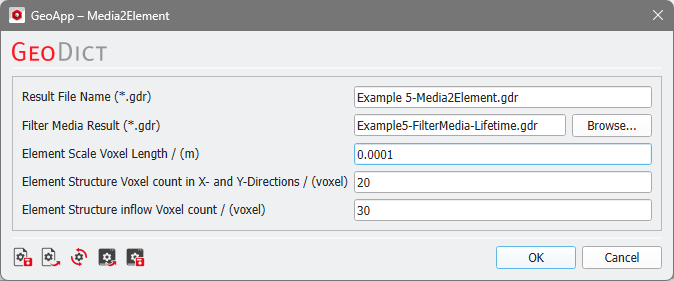
In the dialog, select the result file of the high resolution Filter Media - Filter Lifetime simulation (Filter Media Result (*.gdr)). Select the coarser Element Scale Voxel Length that is to be used in the low resolution simulation. The last two parameters describe the size of the element scale sample structure that the app creates as a demo case.
Click OK to close the dialog and Run to start the app. After a few moments a pop-up dialog appears.
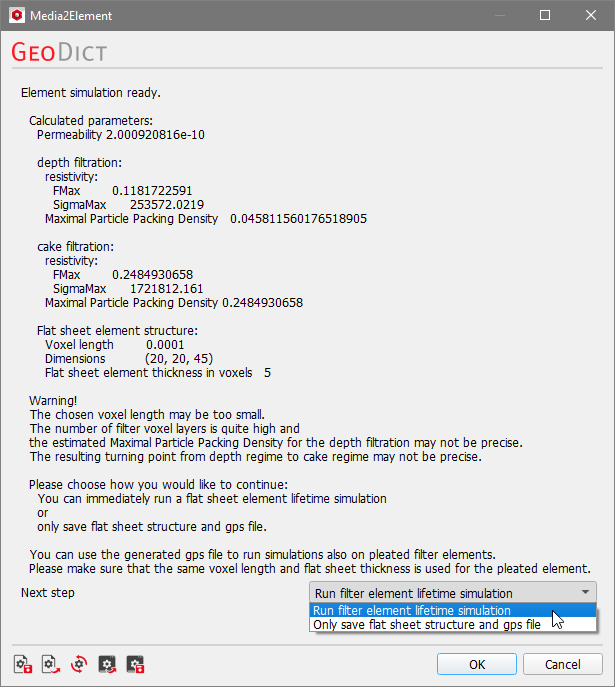
The dialog presents the determined parameters. Clean filter permeability, (FMax) and (SigmaMax) are directly taken from the results of the filter media simulation, i.e., this are the parameters shown in the Filter Clogging Analysis part of the filter media simulation result file:
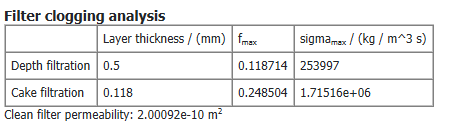
The Maximal Particle Packing Density is often equal to , but may differ in some cases depending on the selected resolution. This is the case, if the resulting filter element is only one voxel in thickness, or if the voxel length is even larger than the filter media height.
In cases where the voxel length selected for the coarse scale simulation is too small, a warning appears.
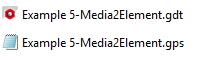
The dialog asks what should be done as next steps. Two choices exist:

 .
.