Options
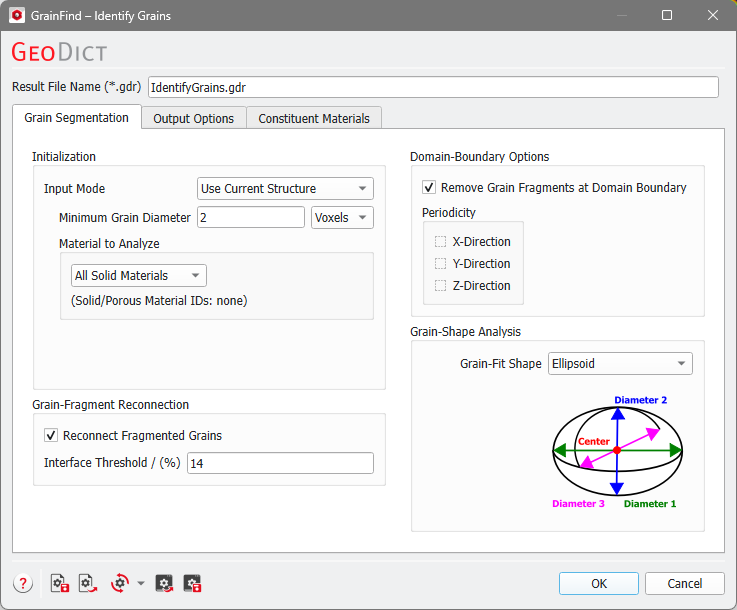
The Identify Grains dialog opens when clicking the Edit… button and includes the Grain Segmentation tab, the Output Options tab, and the Constituent Materials tab.
At the top of the dialog, enter the Result File Name. The result file is saved in the chosen project folder (File → Choose Project Folder in the menu bar).
The built-in default icon comes with a selection of different presets. Clicking on the little arrow shows several additional preset options.
The usual built-in default settings will load the settings according to the current GeoDict edition. You can change the current GeoDict edition from the Settings menu as described in the Graphical User Interface chapter.
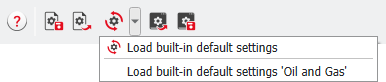
In GrainFind - Identify Grains find edition-specific presets for the Standard Edition and the Oil and Gas Edition.
In the Oil and Gas edition, the Interface Threshold is increased from 14% to 80%, because the grains in rocks tend to share large interfaces. With a larger interface threshold, they are not merged.
In the Output Options tab, additional files are saved: Save Grain-Size Distribution (Volume-Equivalent Diameter) as *.gsd and Save Inscribed-Sphere Diameters and Sheppard Sphericities.
Identify Grains Options: |
|---|
|
