|
Navigation: GeoDict 2026 - User Guide > Introduction > Graphical User Interface > Menu Bar > File |
Scroll |
Save Files

Select Save Structure as… to save the currently loaded structure in the supported file formats (GDT, GAD, leS, and RAW). 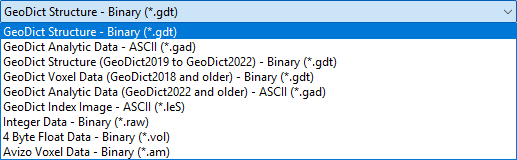 The toolbar icon The automatically chosen folder to save the file containing the structure data is the current project folder. However, it is also possible to choose another location. |
 is the shortcut to this function.
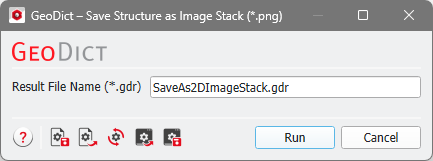 With Save Structure as Image Stack (*.png)… each Z-slice can be saved as a *.png file. Each Material ID is converted into a gray value.
In the options menu, a Result File Name must be specified. The *.png files are then saved into a folder with the same name and a result file will be created. |

Choosing Save Image as… saves the current content of the visualization area in the supported file formats (*.png, *.jpg, *.xpm, *.xbm, *.bmp, *.pgm, *.ppm, and *.pbm) in a selected folder, e.g., the current project folder. The toolbar icon |
 is the shortcut to this function. The opening dialog is different depending whether 2D or 3D
 Selecting Save Video as… opens the Create Video dialog, which allows choosing preset scripts that execute the making of a video with appropriate standard settings. The toolbar icon Clicking on Generate Video opens the Export Video dialog, where the output options like the video file name can be entered. The video is then created without any modifications of the underlying script. Click Open Video Editor to open the Video Editor for modifications. Edit Video Preset allows to change the description of the video preview. The following preset movie clips are available:
See the Create Videos chapter for more details about creating videos in GeoDict. |
 is the shortcut to the Create Video dialog. The preset video scripts are organized in the two tabs 2D and 3D.
 Select Save Triangulation as… to save triangulations obtained by creating a mesh through MeshGeo or by importing in ImportGeo-CAD. The available options are the same as for MeshGeo - Save and are explained in this chapter. |
Select Save Volume File as… to save single volume fields of simulation results in several file formats. For example, after running a flow simulation with FlowDict, select a name to save the field of the velocity in X-direction as raw float data (*.vol) or GeoDict universal file (*.guf). The toolbar icon |
 is the shortcut to save volume files.
©2026 created by Math2Market GmbH / Imprint / Privacy Policy
