In the selection on the top left, choose what ImportGeo-CAD should import
Import Voxels generates a voxel mesh, that can be utilized across all GeoDict modules for simulations and analysis. To turn the surface mesh into a volumetric voxel mesh, each voxel is assigned a material based on the location of the voxel center. If the center lies inside the triangulated surface, it is assigned to the selected material. Here, inside and outside are defined by the face normals of the triangles.
Import Surface loads the triangulated surface as stored in the STL or OBJ file into GeoDict. The surface can then be visualized in GeoDict. It can also be modified with MeshGeo and the modified surface can be exported again with ExportGeo-CAD. The loaded surface triangulation cannot be used to run simulations with any of GeoDict’s other modules.
Import Voxels & Surface loads the surface and creates a voxel mesh as described above.
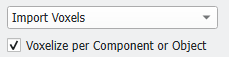
When selected, each triangle mesh is first divided into connected components, which are then imported and voxelized separately. An additional effect of this option is that a label image is created that stores the ID of the components to allow later modification of individual components. When object IDs are present in a STL file these are used as component indices. Be aware that choosing this option might increase the runtime of importing the mesh.
Important!
When there are no overlapping objects in the imported mesh, this option does not influence the voxelization.
It takes effect only when a mesh contains connected components with the same material ID or no material ID at all.
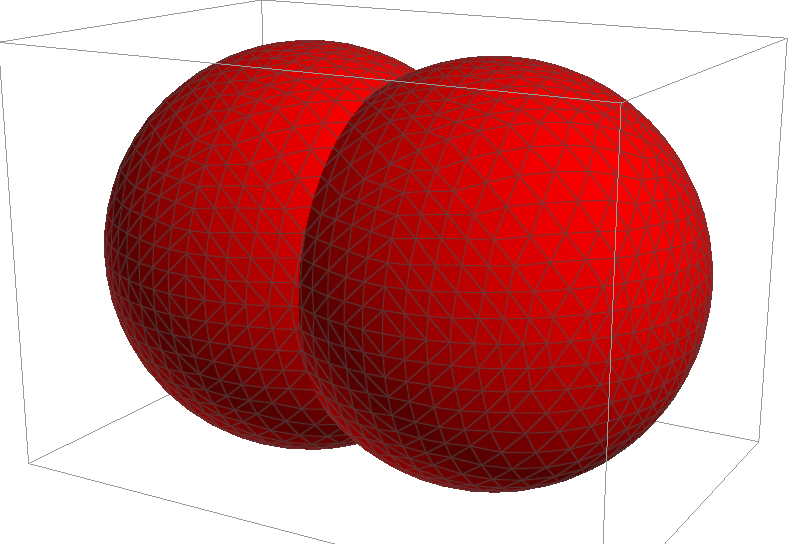
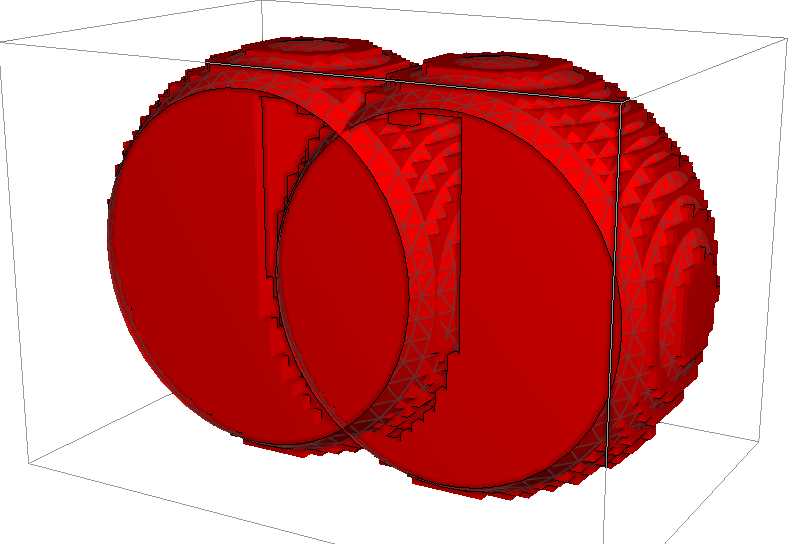
Without Voxelize per Component or Object, a mesh containing two overlapping spheres is voxelized in a single step, and the decision if a voxel is inside or outside of the structure is made based on the nearest surface. Therefore, in the overlap region, the resulting voxel structure may contain holes or other artifacts.
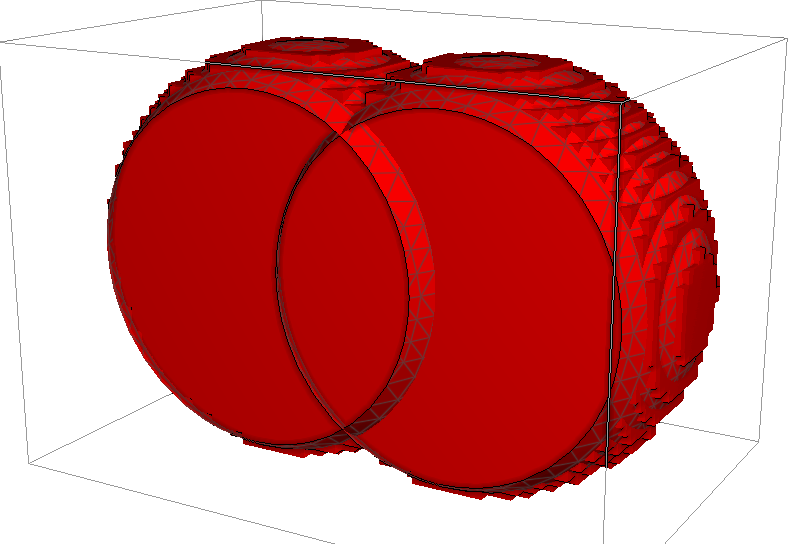
When Voxelize per Component or Object is checked, the space taken by the objects is voxelized correctly to solid.
The Index Image volume field is created when the option is used. One of the object indices is assigned to the overlap region.
Such overlapping or intersection can occur fairly often in CAD-generated STL files, especially in complex designs. For example, a filter housing and base might cross one another, but by correctly using the option here, the errors in CAD modeling can be repaired.
When you select Import Surface, the Surface Mode drop-down menu appears.
Create New Structure erases the current structure (if present) and creates a new domain around the imported surface(s).
Keep Existing Structure and Discard Mesh adds the imported surfaces into the current domain, keeps any existing voxel structures, but discards all previously imported or created surface meshes.
Keep Existing Structure and Mesh adds the imported surfaces into the current domain, keeps any existing voxel structures, and also keeps all previously imported or created surface meshes.
When the structure is kept, the parameters Length in X, Length in Y, Length in Z, Voxel Length, and Voxels in X, Voxels in Y, Voxels in Z are fixed and cannot be changed. Only the Shift values can be modified to move the imported object into the right position. If you need to distinguish the newly imported surfaces from any previously imported ones, make sure to select a new material ID for it.
 Voxelize per Component or Object