Options
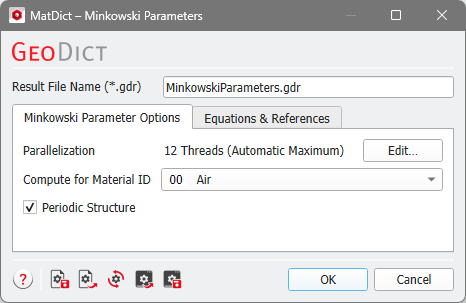
The needed parameters can be entered by clicking the Edit… button. The Minkowski Parameters dialog includes the Minkowski Parameter Options tab and the Equation & References tab, which cites J.Ohser, F.Mücklich on which the algorithm is based.
At the top of the dialog, enter the Result File Name. The result file is saved in the chosen project folder (File → Choose Project Folder in the menu bar).
 Parallelization
Control how many threads are used for the computation. Parallelization is possible if your license and hardware allow it.
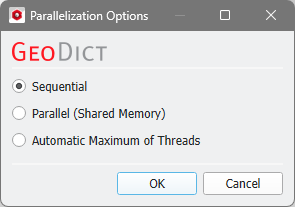
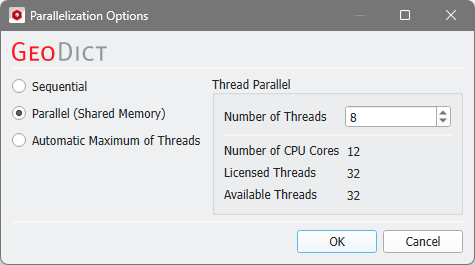
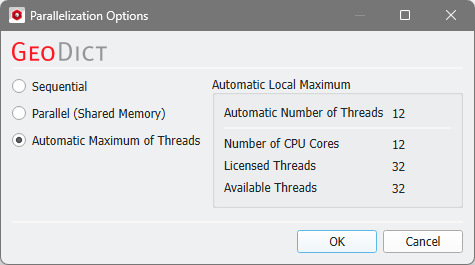
The Parallelization Options dialog opens when clicking the Edit button and you can choose between Sequential, Parallel (Shared Memory), or Automatic Maximum of Threads.
Selecting Sequential will not apply parallelization and only one thread is used for the computation.
When Parallel (Shared Memory) is selected, the Number of Threads can be entered. Below, the Number of CPU Cores that the current machine has, the maximum number of Licensed Threads and the number of those licensed threads that are available (Available Threads) are shown in the dialog. Of course, the maximal number of parallel processes you can use, is the smallest of those three numbers.
If Automatic Maximum of Threads is selected, the number of parallel processes is automatically selected for optimal speed, based on the CPU cores and licensed parallel processes.
The Automatic Local Maximum of processes is automatically selected, which is the minimum of Number of CPU Cores, Licensed Threads, and Available Threads.
|
Compute for Material ID defines the Material ID for which the Minkowski Parameters are computed.
Selecting Periodic, the structure is assumed to be periodic, so that the material that ends on one side of the volume reappears on the opposite side. Otherwise, symmetric boundary conditions are used.
As Algorithm 2 from Estimate Surface Area is used in this command, a staggered grid will be used, too.