Generation and Overlap
The options in the Generation and Overlap Mode panel control the relative position among the fibers in the generated structure (or with the objects of the structure currently in memory).
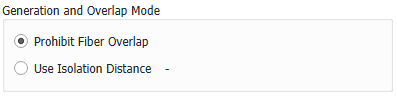
Fibers may touch (but not overlap) when Prohibit Fiber Overlap is selected.
Fibers may not touch when Use Isolation Distance is selected, and a positive value is entered. Then, the gaps between fibers have at least this preset distance.
|
Note! The choice of Use Isolation Distance may lead to long computation times when working with large structures and/or small segment lengths for the fibers. How to control the segment length is described in the topic Shape Tab. |

When choosing a negative isolation distance, fibers can overlap by this value. This option can be used to simulate fibers that melt together, or that deform when touching other fibers.
