Options
Clicking the pleat Options’ Edit… button, opens the Cylindrical Pleat Options dialog.
A Result File Name (*.gdr) must be entered. The Result File Name is applied to both the results file (*.gdr), and to the results folder that are saved in the project folder. The *.gdr (GeoDict result) files contain the complete information on the current structure generation.
At the top right of the Cylindrical Pleat Options dialog, the available units (m, mm, and µm) are selectable from the pull-down menu.
Clicking OK confirms the entered pleat options and clicking Cancel closes the Cylindrical Pleat Options dialog and discards the current modifications.
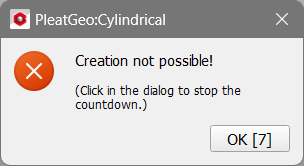
In the PleatGeo section click Generate to generate the cylindrical pleat medium with the entered parameters. If invalid values are entered, an error message appears.
The parameters for the pleat generation are grouped into: |
|---|
|
