Create Videos
Generate a video showing an animation of the drainage or imbibition process from the Create Videos tab. The exemplary video shows which information will be contained in the video. On the left the changing distribution of invading and displaced fluid during the saturation simulation is animated, and on the right, the corresponding capillary pressure curve is shown. For a better visualization, only a part of the structure is set to visible.
In the Create Videos tab, a *.mp4 file with an animation of the drainage or imbibition process can be created. Follow the steps listed on the right panel:
- Make sure that you are in 3D mode,
- Set the colors of solid and fluid materials to your preferred ones,
- Choose your favorite camera position.
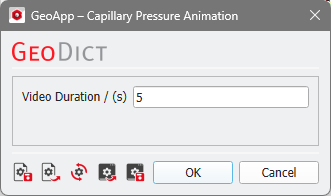
Select Edit Parameters to change the duration of the video.
With Open Macro File it is possible to open a text editor with the python file used for the video creation in order to modify it.
Click Create Video, to create and save the video capillaryPressureVideo.mp4 in the result file folder.
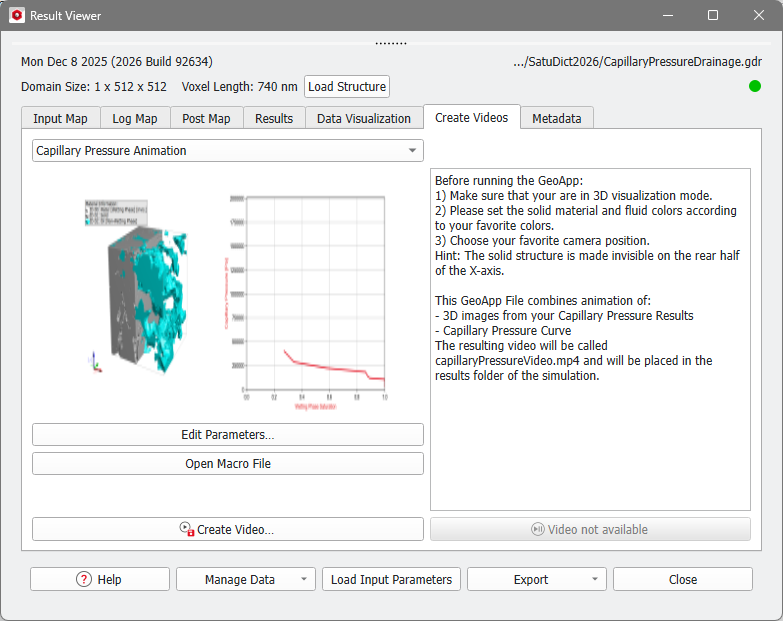
If the video was created successfully, the grayed-out Video not available button, is enabled and changes to a Play Video button. Click Play Video on the bottom right opens the video file in the default video player.
