Boundary Conditions
The Boundary Conditions tab has two panels, Computational Directions and Boundary Conditions in Diffusion Flux Direction. They are the same as in Simulate Diffusion in DiffuDict.
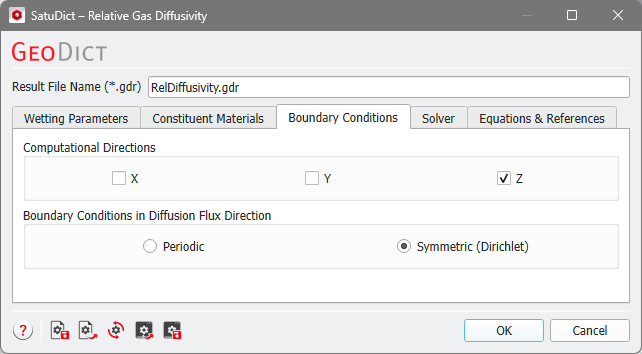
For the Computation Directions, choose the directions for which the diffusivity should be calculated. To obtain the whole 3x3 diffusivity matrix in the result file, it is necessary to choose all three directions. The directions that are not checked will not be calculated and will appear as unknown in the diffusivity matrix in the result file.
When computing the relative gas diffusivity, Boundary Conditions in Diffusion Flux Direction must be entered for the computations of the diffusion solver.
If Periodic is selected, the solution is computed assuming that the structure is periodically repeated in the diffusion direction(s).
If Symmetric (Dirichlet) is selected, a constant concentration is ensured along both border planes in the diffusion direction.
For highly porous structures, the difference between these two settings is not significant and but it gets significant for low porous structures (e.g., digital rocks). In general, we suggest using symmetric boundary conditions.
