Filter Lifetime
A Filter Lifetime simulation includes clogging of the filter and computes pressure drop and deposited dust over time. In a Single Pass simulation, fluids pass through the filter only once and are not recirculated. In a Multi Pass simulation, fluids move in a circuit through the system, and particle size distribution and concentration in front of the filter change over time.
The Filter Lifetime command for filter media
|
|
|
 Continue Interrupted Simulation
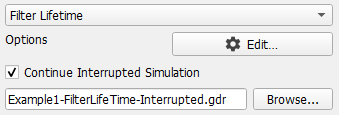
An interrupted filter life time simulation can be restarted by checking Continue Interrupted Simulation. For this, at least the computation of the first flow field must have been finished. When the simulation was interrupted earlier, it must be started anew.
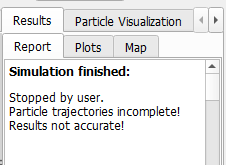
A stopped or interrupted simulation produces an incomplete (*.gdr) result file which may not automatically open at the end of the computations. When opened through File → Open *.gdr File…, you can find the information that the simulation was not finished under the Results - Report subtab:
To continue the unfinished simulation, check Continue Interrupted Simulation and click Browse to select the name of the result file. To continue the interrupted simulation, the result file from the unfinished simulation must be located in the project folder and the structure on which the simulation is to be finished must be already loaded.
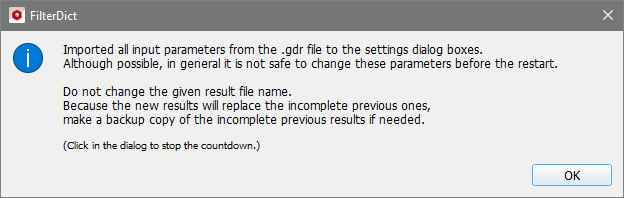
A message appears giving information and instructions on how to handle the simulation re-run.
Click OK in the message to return to the FilterDict section and click Run to continue the interrupted simulation..
|