Input Parameters
When Compute Thermal Conductivity is selected from the pull-down menu, clicking the Edit… button opens the Conductivity- Compute Thermal Conductivity dialog.
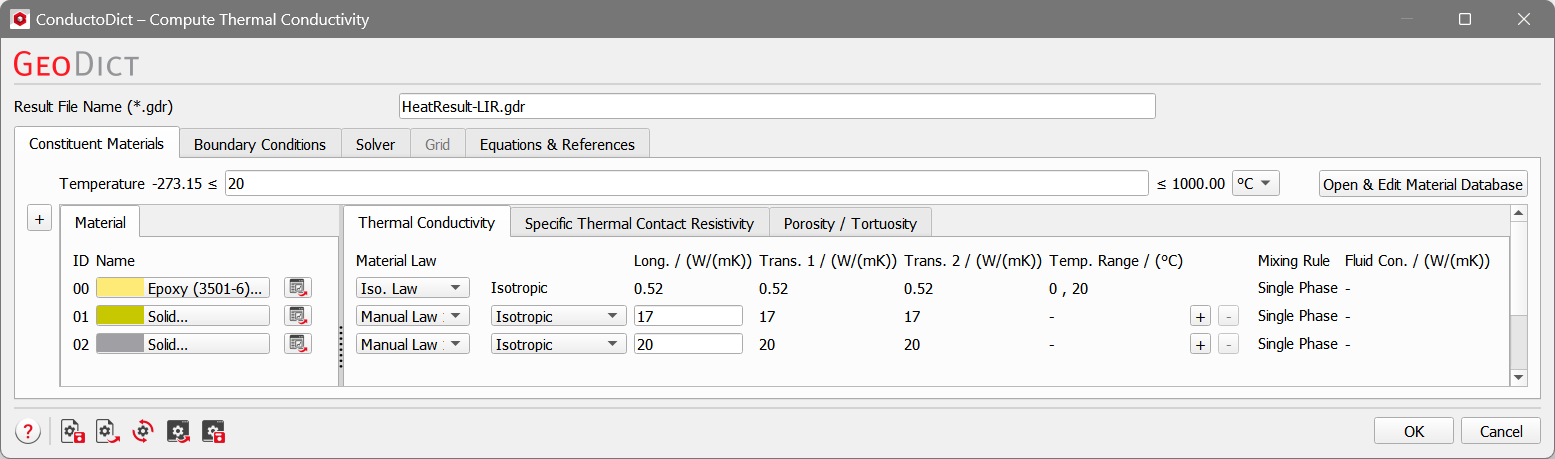
Choose a name for the files containing the results of the computations according to your current project. The result files are saved in the project folder (File → Choose Project Folder, in the Menu bar).
An additional directory with this name is created to keep the intermediate computation files (PDE solver files) and the temporary computation files.
The parameters are organized under the Constituent Materials, Boundary Conditions, Solver, Grid, and Equations & References tabs.
Tabs of the Compute Thermal Conductivity dialog |
|---|
|
