Options
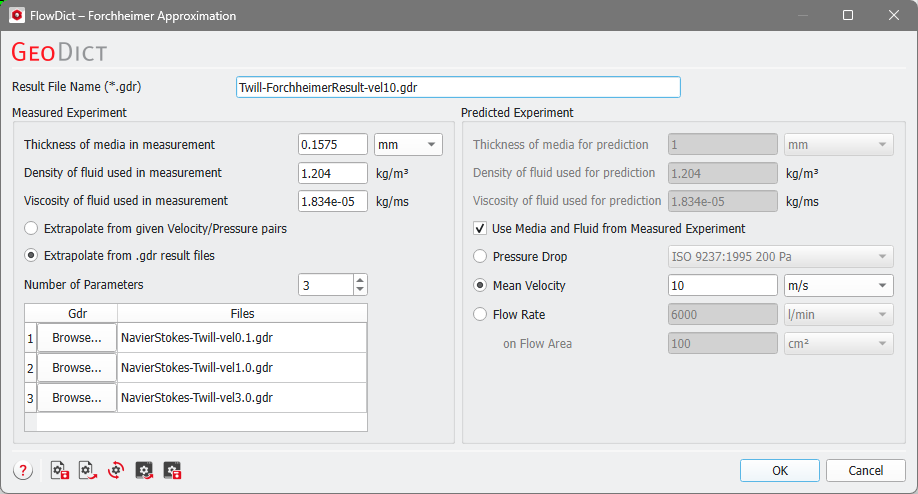
At the top of the dialog, enter the Result File Name (*.gdr).
The Forchheimer Approximation Options dialog is organized in two panels. In the Measured Experiment panel, enter the measurement or simulation results and the corresponding fluid parameters. In the Predicted Experiment panel, enter the setup for which you want to predict pressure drop or mean velocity.
Measured Experiment
The Thickness of media in measurement must correspond to the velocity/pressure pairs or simulated results entered below. If you extrapolate from simulated results, enter the used domain size in flow direction without inflow or outflow region.

Below, enter the fluid density and viscosity. If you extrapolate from simulated results, enter the parameters used in the simulation.

 Extrapolate from given Velocity/Pressure pairs
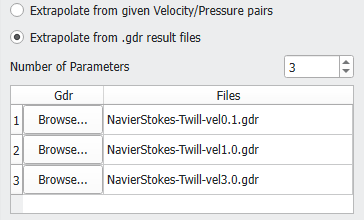
Extrapolate from .gdr result files
Predicted Experiment
If you select Use Media and Fluid from Measured Experiment, the values entered in the Measured Experiment tab will be used.

Otherwise, you can enter a different media thickness. Be aware that this only makes sense if it is a thicker or thinner layer of the same porous material. The extrapolation assumes that the material in the predicted experiment has the same permeability (Darcy and Forchheimer) as in the measured experiment.

You can predict experimental results for a different fluid as used in the measurement by entering the density and viscosity here.

Enter either the pressure drop, the mean velocity, or the flow rate of the predicted experiment. If a Pressure Drop is prescribed, then the predicted property is the mean velocity. If a Mean Velocity or a Flow Rate is prescribed, then the pressure drop is predicted.
In addition to the manual definition of the Pressure Drop, there are some presets based on DIN, ASTM, and ISO norms.
