Coarsen Curved Fibers
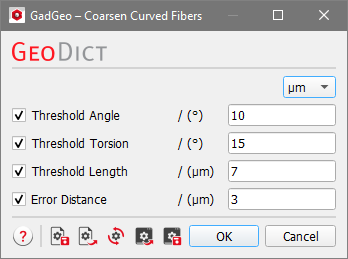
Coarsen Curved Fibers allows decreasing the number of segments used in curved fibers, and thus, reduce the size of the corresponding structure files in GAD format. This also reduces the file size of STL files exported with MeshGeo or ExportGeo-CAD. Clicking the Options’ Edit… button opens the Coarsen Curved Fibers dialog where criteria for merging two segments into one can be entered.
The available units (m, cm, mm, µm, nm, and Inch) are selectable from the top right pull-down menu. When the Threshold Angle, Threshold Torsion, Threshold Length and/or Error Distance boxes are checked, values can be entered in the fields.
 Threshold Angle
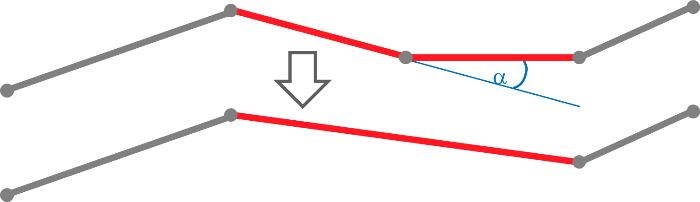
When the supplementary angle between two fiber segments is smaller than the value entered for the threshold angle, the two segments are merged. The process is repeated until no supplementary angle smaller than the threshold is left in the structure’s fibers.
|
Threshold Torsion
When the torsion within one segment is smaller than the entered threshold value, this segment is merged with its neighbor.
|
Threshold Length
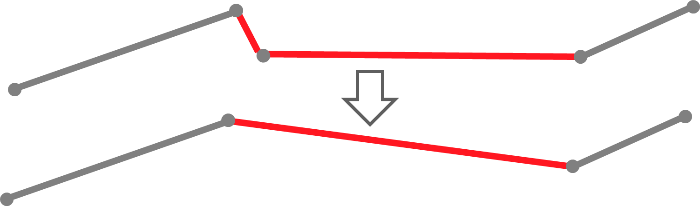
Segments shorter than the entered threshold value are merged with their neighbors.
|
Error Distance
Points on the fiber are removed if the distance between the removed point and the new line is lower than the given Error Distance (Douglas–Peucker algorithm).
|