Combine GAD Objects
The Combine GAD Objects command combines all objects into a single CombinedObject.
The Combine GAD Objects command does not require additional parameters. Therefore, no Edit… button is available, and the command can simply be executed by clicking Run.
As example, consider two spheres and a cylinder that together form a dumbbell.
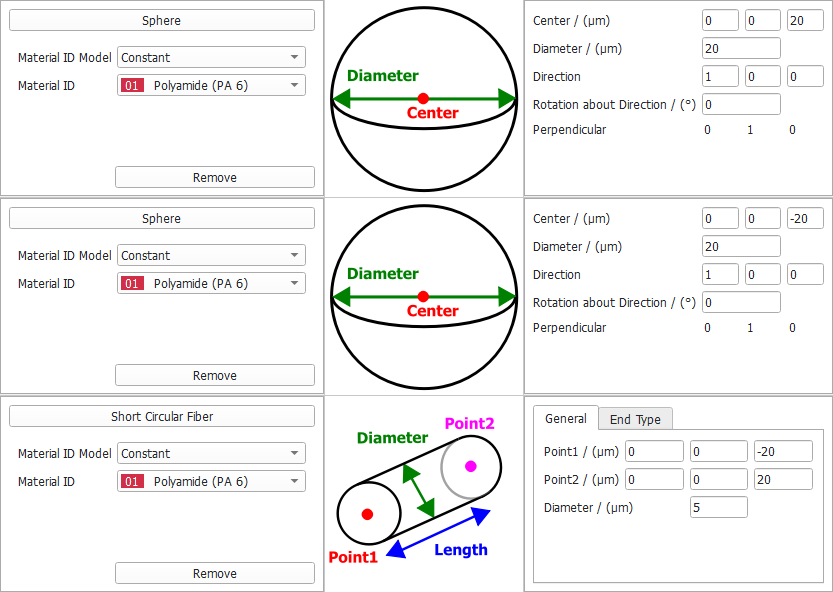
Initially, these are three independent objects, and in the status section, 3 GAD Objects are shown. After clicking Run, the three objects are turned into a single object.
If this object is now stored in a .gad file, only a single object of the CombinedObject type is present. This file can then be used as a user-defined object type.
