Options
At the top left of the dialog, the name for the file containing the generation results can be entered in the Result File Name (*.gdr) box. The default name can be kept, or a new name can be chosen, fitting the current project.
The result files are saved in the chosen project folder (File → Choose Project Folder, in the Menu bar). If a GeoDict result file (*.gdr) with the given name already exists in the project folder, a warning message is shown at the start of the creation process. You can either decide to rename the chosen file name to a new one, to cancel the generation process, to overwrite or to back up the old file. When nothing is selected, GeoDict uses the Back-Up option after a waiting time.
The available units (m, cm, mm, µm, nm and Inch) are selectable from the pull-down menu at the top right of the dialog. When the units are changed, the entered values are adjusted automatically.
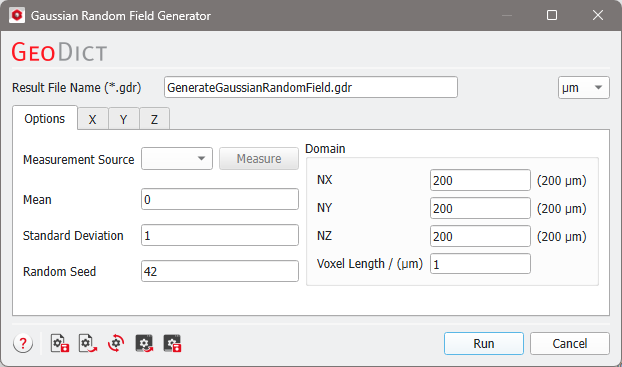
The parameters are organized into tabs: |
|---|
|
After setting all autocorrelation functions as desired for all three directions, clicking Run generates the Gaussian random field.
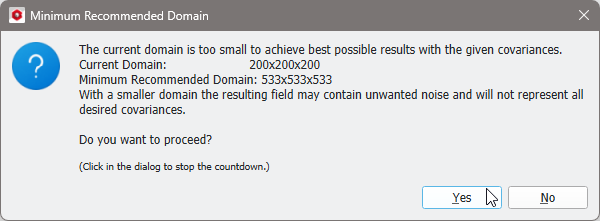
If the domain parameters are not large enough to represent the given covariances, a warning dialog appears. Decide if the generation should proceed or if it should be aborted. Changing the domain size accordingly improves the accuracy.