General Options
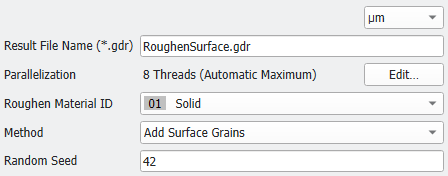
At the top left of the dialog, the name for the file containing the generation results can be entered in the Result File Name (*.gdr) box. The default name can be kept, or a new name can be chosen, fitting the current project.
The result files are saved in the chosen project folder (File → Choose Project Folder, in the Menu bar). If a GeoDict result file (*.gdr) with the given name already exists in the project folder, a warning message is shown at the start of the creation process. You can either decide to rename the chosen file name to a new one, to cancel the generation process, to overwrite or to back up the old file. When nothing is selected, GeoDict uses the Back-Up option after a waiting time.
The available units (m, cm, mm, µm, nm and Inch) are selectable from the pull-down menu at the top right of the dialog. When the units are changed, the entered values are adjusted automatically.
 Parallelization
Control how many threads are used for the computation. Parallelization is possible if your license and hardware allow it.
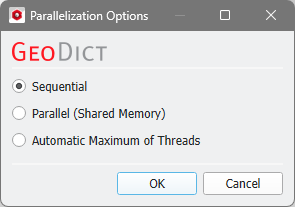
The Parallelization Options dialog opens when clicking the Edit button and you can choose between Sequential, Parallel (Shared Memory), or Automatic Maximum of Threads.
Selecting Sequential will not apply parallelization and only one thread is used for the computation.
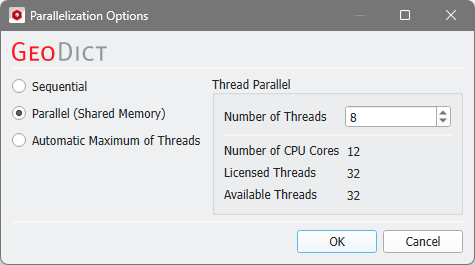
When Parallel (Shared Memory) is selected, the Number of Threads can be entered. Below, the Number of CPU Cores that the current machine has, the maximum number of Licensed Threads and the number of those licensed threads that are available (Available Threads) are shown in the dialog. Of course, the maximal number of parallel processes you can use, is the smallest of those three numbers.
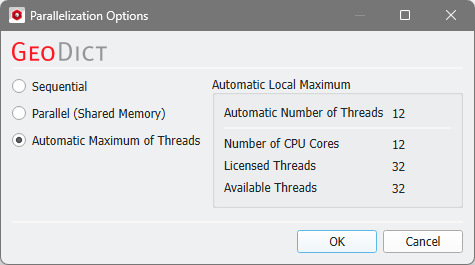
If Automatic Maximum of Threads is selected, the number of parallel processes is automatically selected for optimal speed, based on the CPU cores and licensed parallel processes.
The Automatic Local Maximum of processes is automatically selected, which is the minimum of Number of CPU Cores, Licensed Threads, and Available Threads.
|
Roughen Material ID
From the Roughen Material ID pull-down menu, choose one material to be roughened from the materials present in the structure. If the structure consists of several materials, each material is treated separately.
|
Method
Random Seed
Random Seed initializes the random number generator behind the surface roughening. Changing its value produces different sequences of random numbers and hence, different realizations of the surface roughening. If all settings are equal, generating with the same Random Seed value produces the identical roughening.
|