|
Navigation: GeoDict 2026 - User Guide > Image Analysis > MatDict > Algorithms > Euclidean Distance Transform |
Scroll |
Options
At the top of the Euclidean Distance Transform dialog, choose the Result File Name.
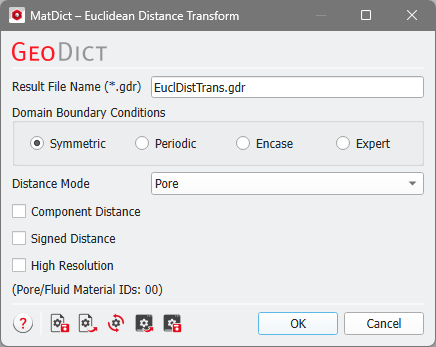

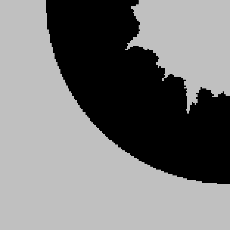
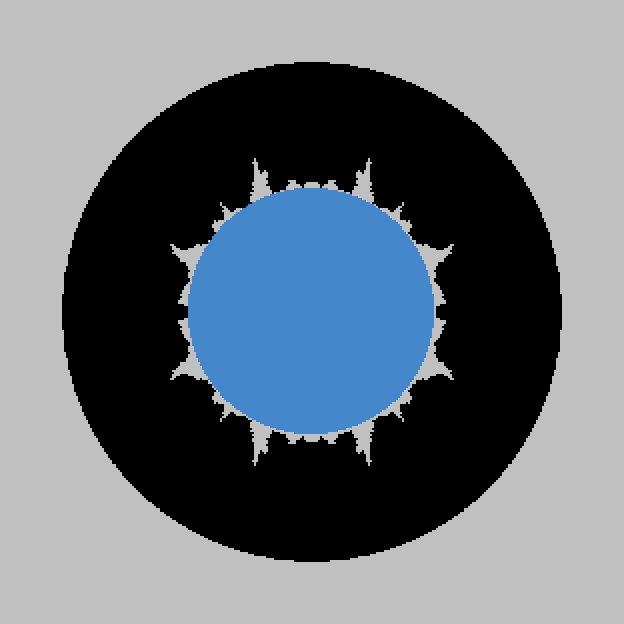
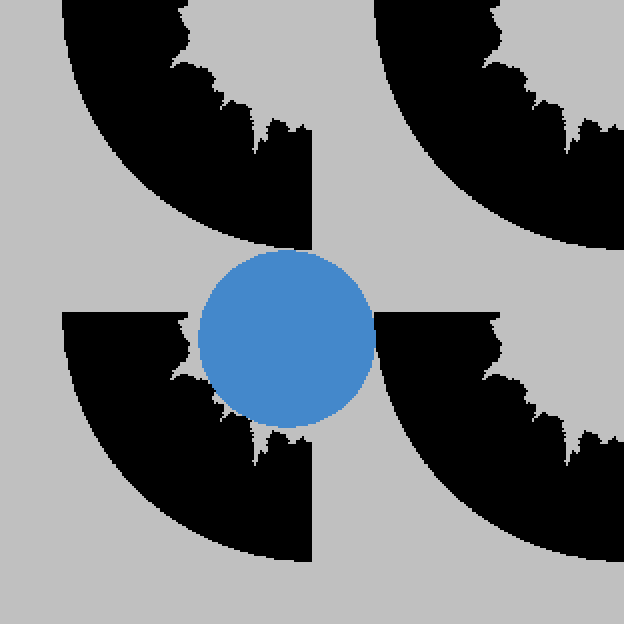
Decide which Domain Boundary Conditions should be used during the calculations. The Domain Boundary Conditions can be chosen to be Symmetric, Periodic, Encase, or any combinations of those boundary conditions in all three directions with the choice of Expert. Choosing the appropriate boundary condition depends on the structure’s design. For example, imagine a structure with a cross-section as shown below.
For the three boundary condition options the resulting solid size is visualized in blue.
Check Expert to apply different boundary conditions for each direction. You can combine the three above mentioned boundary conditions independently for the directions. For example, the boundary conditions could be chosen to be Encase in X-direction, Symmetric in the Y-direction and Periodic in Z-direction. 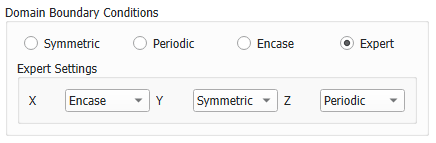 |

The Distance Mode defines the Material IDs that are considered. From any point (voxel) inside these Material IDs the distance to the nearest boundary to all other Material IDs is calculated. The default is to analyze the pore space, so that the distance of any pore voxel to the next solid material is computed. However, if switching the Distance Mode to GivenID, you can select from all Material IDs present in the structure. |
If Component Distance is checked, for each point of the domain the distance to the next boundary is computed. In this case all boundaries between the materials are considered, including the pore space. When Component Distance is checked, the selection of Distance Mode is disabled, as the EDT is computed for all structure components at once. Also, High Resolution will be applied for the computation in this case. |
If Signed Distance is checked, a modified version of the EDT is used. In the pore space or background materials, the signed EDT will be the same as in the original version, but the signed EDT will also compute a negative distance inside of the solid or foreground material. Also, High Resolution will be applied for the computation in this case. |
To run the calculations with High Resolution might be useful when the pore space is expected to be especially narrow. The standard algorithm computes distances directly on the voxel grid, i.e., only the distances between voxel centers are taken into account. High Resolution also takes the voxel surfaces and edges into account, so the computed distances correspond to the distance to the next surface or edge. The disadvantage of the High Resolution mode is that the calculation runtime and memory usage may increase by a factor of eight. |
©2026 created by Math2Market GmbH / Imprint / Privacy Policy
