Options
The Estimate Three-Phase Contact Line options are opened by clicking the Options’ Edit… button.
At the top of the dialog, enter the Result File Name. The result file is saved in the chosen project folder (File → Choose Project Folder in the menu bar).
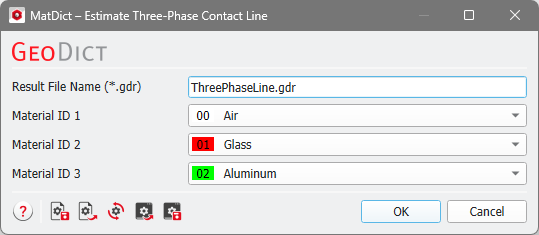
Through the Material ID 1, Material ID 2, and Material ID 3 pull-down menus, the three-phase Material IDs for which the Three-Phase Contact Line length should be computed are selected.
|
Note! The Material IDs you want to analyze do not need to be IDs 01 to 03. Material ID 1 in this context means the first Material ID that will be analyzed. Analogeously, Material ID 2 and Material ID 3 refer to the second and third analyzed Material ID. |