Data Visualization
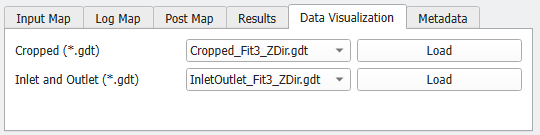
Under the Data Visualization tab, additional saved structures are available if Write Inlet and Outlet to a .gdt file and/or Write Cropped Geometry to a .gdt file were checked in the Options dialog.
Cropped Geometry
If Write Cropped Geometry to a .gdt file was checked, the structure where the inlet and outlet regions are cropped can be loaded.
Inlet and Outlet
If Write Inlet and Outlet to a .gdt file was checked, a structure showing the identified inlet/outlet regions can be loaded. The inlet and outlet areas are calculated based on the measured SVP and the selected methods. If multiple methods with inlet/outlet are selected, a structure is saved for each of those methods.

The inlet/outlet volume is assigned to Material ID 02 (here green) and the entire solid structure is assigned to Material ID 01 (here red). Intersections (“overlap”) of the structure and the identified inlet/outlet volume are assigned to Material ID 03 (here yellow).
