Hysteresis Thresholding
The name for the file and folder containing the results can be entered in the Result File Name (*.gdr) box. Choose a name fitting the current project.
Thresholding with Hysteresis is one way to accomplish edge detection using two thresholds.
It implements the detection of edges by suppressing all the other edges that are weak and not connected to strong edges. Low thresholded edges which are connected to high thresholded edges are retained. Low thresholded edges which are non-connected to high thresholded edges are removed.
This leads to the creation of 3 classes:
- Below low threshold, to be removed
- Above high threshold, to be retained
- Between low and high thresholds, to be retained only if connected to an edge above high threshold
Finally, click Create Segmentation to apply the hysteresis thresholding to the image dataset.
Results
After clicking Create Segmentation for one of the segmentation methods, the segmentation is applied for the gray value image. For Global Thresholding, AI Segmentation, Multi-Phase Segmentation, and Hysteresis Thresholding a result file (*.gdr) is generated and saved in the project folder. The generated result file with the name entered for Result File Name is opened automatically in the Result Viewer.
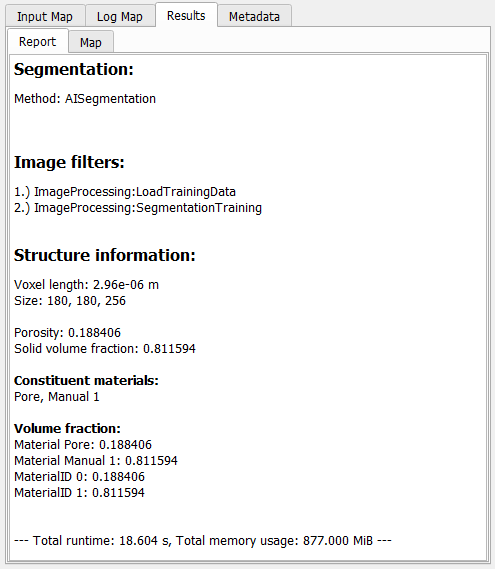
The Report tab lists some basic Structure Information for the resulting structure and all steps done in the Image Processing dialog, e.g., Segmentation methods and the used Image Filters.
In addition to the result file, a result folder with the same name is saved inside the current project folder, containing the segmented structure file (*.gdt) and, for the AI segmentation, also the used labels (*.gld), and the trained model (*.FOREST, *.XGBM, *.UNET2D or *.UNET3D).
For a more detailed description of the Result Viewer options refer to the Result Viewer user guide.