Convert Particles to GAD
The Convert Particles to GAD command converts the particles currently shown in the visualization area into spherical objects and adds them to the 3D structure. The command only has an effect when a particle (*.gpp) or particle trajectory (*.gpt) file is loaded and visualized, e.g., from a FilterDict or AddiDict result file.
Click the Options’ Edit… button to open the Convert Particles to GAD dialog. Select a Material ID, close the dialog and click Run to convert the particles.
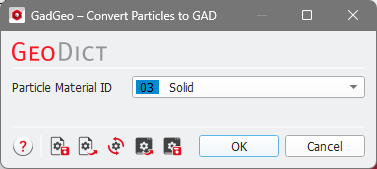
All particles are saved as Sphere objects at their current visualized position. This means that it is possible to add a particle at any point along its trajectory depending on the slider positions in the Particles visualization tab. If multiple sets of particles are visualized (e.g., deposited particles in dark gray and moving particles in green), they are simultaneously converted to GAD objects with this command using the same selected Material ID.
