Solid Oxide Electrode Generation
The Solid Oxide Electrode Generation app uses stochastic geometric modeling to generate three-phase microstructures (2 solids and 1 pore phase) typically observed for SOFC / SOEC electrodes. Of course you can use this GeoApp also for other structures with similar geometric properties, for example for a solid state electrode.
The app generates two independent Gaussian random fields (GRF) to facilitate a bi-gaussian or exponential random field. Find more information about Gaussian Random fields in GrainGeo - Generate Gaussian Random Fields. This two-dimensional field is thresholded into three phases according to the specified volume fractions (under Random Field 1 and 2 and contact angles (under Change Expert Settings),, where the latter determine the wetting behavior of the phases. The approach is based on work of Marmet et al., 2023.

|
Modules needed to run this GeoApp:
FiberGeo or GrainGeo
|
Parameters
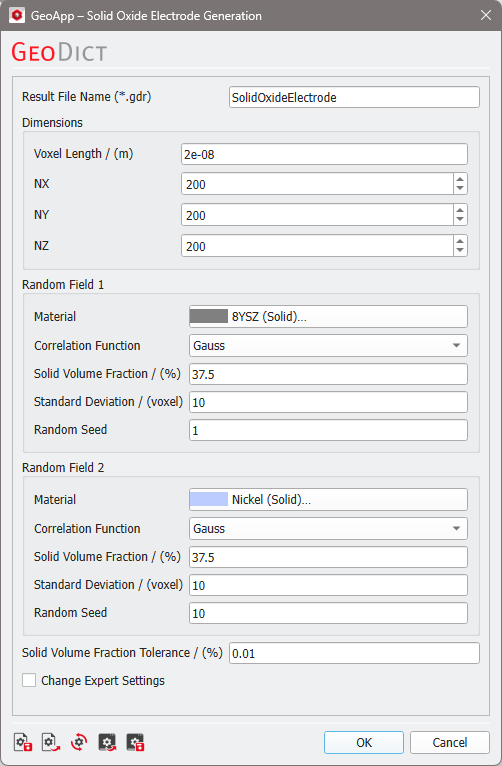
Click Edit to open the Solid Oxide Electrode Generation Parameters dialog.
Enter a Result File Name for the generated result file (*.gdr) and the corresponding result folder.
The parameters are organized in groups.
 Dimensions
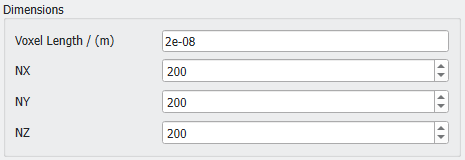
Define the domain sizes for the structure to generate. These are also applied to the two GRFs. The domain size is given by the number of voxels in X-, Y-, and Z-direction (NX, NY, and NZ) and the Voxel Length in m.
|
Random Field 1 and 2
The structure contains two materials. For both define the following parameters.
Click on the Material boxes to select a material from the GeoDict material database.
Choose if the Correlation Function that defines the random field should be Gauss or Exponential. Find examples for Gauss and Exponential fields in the GrainGeo User Guide.
The two random fields represent two solid phases. Each phase has its own Solid Volume Fraction (SVF) for the resulting structure. Note that the sum of the two solid phases must be less than 100%. The remaining percentage (100 - SVF1 - SVF2) specifies the porosity of the electrode structure.
The Standard Deviation for the correlation functions can be defined. Higher values lead to larger pores.
Changing the Random Seed creates a different random field but with the same statistical properties.
The mean value for the random fields is always set to 0.
|
Solid Volume Fraction Tolerance
The Solid Volume Fraction Tolerance specifies how close the generation process approximates the target values given for Solid Volume Fraction.
|
Change Expert Settings
Check Change Expert Settings to edit additional settings.
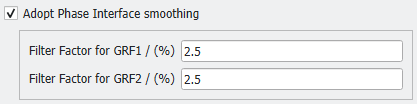
Adopt Phase Interface smoothing: applies a Gaussian filter to the previously generated or loaded GRFs. This way, the phase boundaries created by thresholding are smoothed.
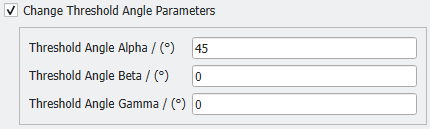
Change Threshold Angle Parameters: The thresholding angles between the three resulting phases can be set. Their setting differentiates the two solid phases between wetting and non-wetting behavior. The values are optional and have commonly used defaults (neutral wetting behavior). See Marmet et al., 2023 for further details. If not checked, the default values are used.
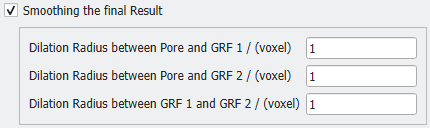
Smoothing of the final Result: To dilute the boundary between two phases, a smoothing based on voxels is applied. Dilation is used to coat neighboring voxels from another material. Doing this vice-versa between two phases, the boundary is smoothed. For this purpose, the dilation between two of the three phases can be stated. Note that at least one pair of phases needs to have a dilation radius >0 for any smoothing to commence.
|
Algorithm
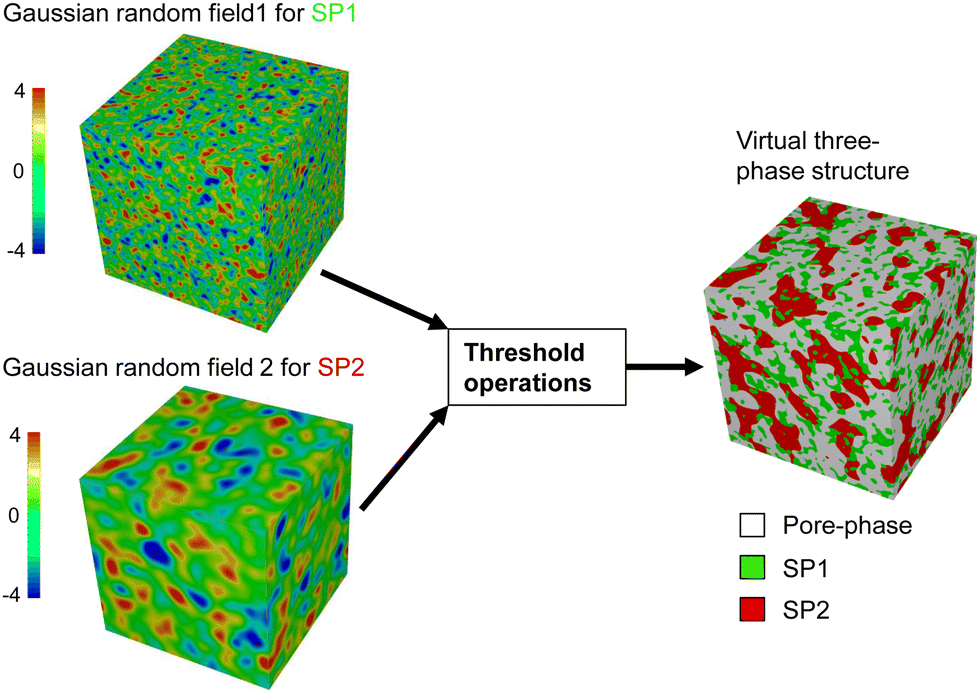
The figure below (see also Marmet et al., 2023, Figure 3) illustrates the virtual structure generation with pluri-Gaussian random fields. Two GRFs are combined with threshold operations to achieve three phases with defined phase volume fractions and wetting behavior.
|
Results
Clicking Run starts the solid oxide electrode generation.
When the structure generation finishes, the Result Viewer of the result file (*.gdr) opens automatically.
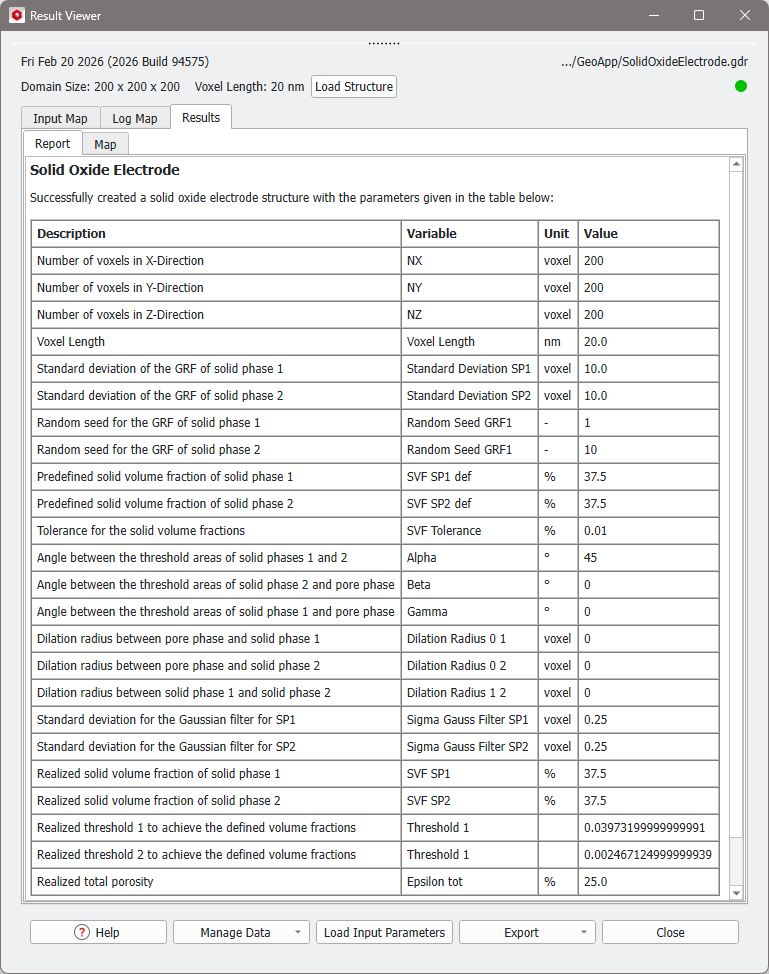
The Results - Report tab displays a report about the resulting structure.
The generated solid state electrode structure is shown in the visualization area of GeoDict:
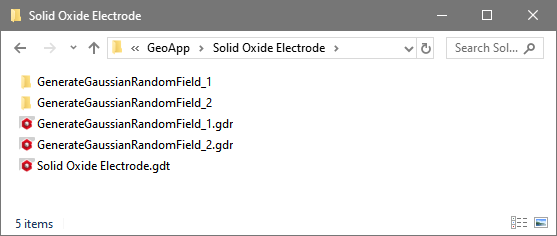
The result folder contains the GRFs and the electrode structure file.