Component Parameters
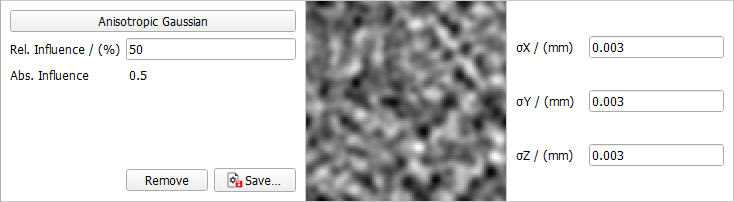
In the left find the name of the field type and the influence on the field generation when combining different field types. This is explained in more detail below.
In the center column, a preview of the field type is shown and in the right column the field type parameters are defined. In the following they are explained for the different field types.

|
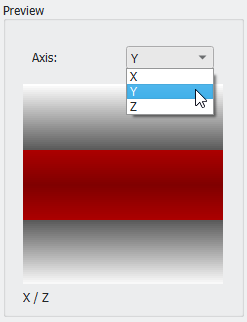
Know how! Depending on the entered parameters, it might be necessary to change the preview direction in the Preview panel on the bottom right of the dialog to see a preview of the generated field.
|
 Isotropic and Anisotropic random fields
Linear Gradient
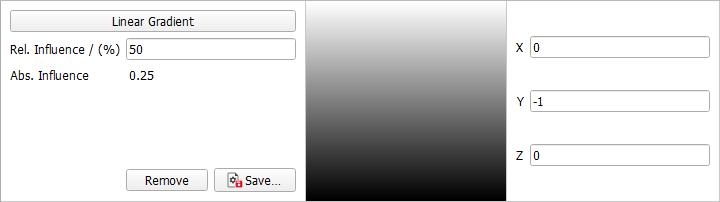
For Linear Gradient, enter the desired direction vector of the gradient.
For the default (0,-1,0) the field starts with black in the bottom and smoothly becomes lighter in Y-direction.
|
Sphere Gradient
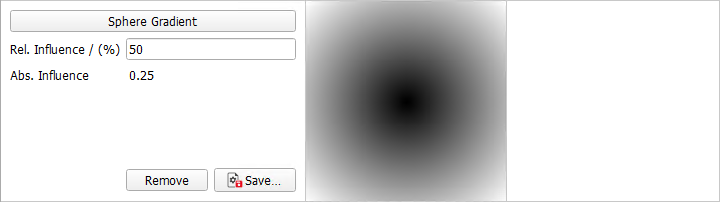
No parameters can be entered for Sphere Gradient.
The gradient always starts black in the center of the domain and becomes smoothly lighter towards the borders, resulting in a sphere after thresholding, if no other components are selected.
|
Membrane Gradient
For Membrane Gradient, select the axis perpendicular to the membrane from the pull-down menu. If, for example, X is chosen, the gradient starts as a black plane perpendicular to the X-axis in the center of the structure.
|
Combine components
Using more than one component, the resulting combined random field is the weighted sum of all components, where the weights depend on the Relative Influence.
In this example, a combination of Isotropic Gaussian Kernel and Linear Gradient was selected. With Rel. Influence of 100 for the Isotropic Gaussian field and 1 for the Linear Gradient, observe, how the density of the structure differs according to the entered gradient vector (0,1,1).
In the next example, a combination of Isotropic Gaussian Kernel, Linear Gradient, and Sphere Gradient was selected. With rel. influence of 100 for the Isotropic Gaussian Kernel field, 8 for the Linear Gradient and 70 for the Sphere Gradient, the structure forms a hill with a rough surface.
|