Grid of Spheres
The generated Grid of Spheres is a regular arrangement of spherical objects, based on the entered parameters. Four different packing modes are available: Simple Cubic, Body-Centered Cubic, Face-Centered Cubic and Hexagonal.
The GridGeo Grid of Spheres Options dialog opens when clicking the Options’ Edit… button in the GridGeo section.
At the top left of the GridGeo Grid of Spheres Options dialog, enter the name for the files containing the generation results in the Result File Name (*.gdr) box. Keep the default name, or choose a new name which fits to your current project.
The available units (m, cm, mm, µm, nm, and Inch) are selectable from the drop down menu at the top right of the GridGeo Grid of Spheres Options dialog. When the units are changed, the entered values are adjusted automatically.
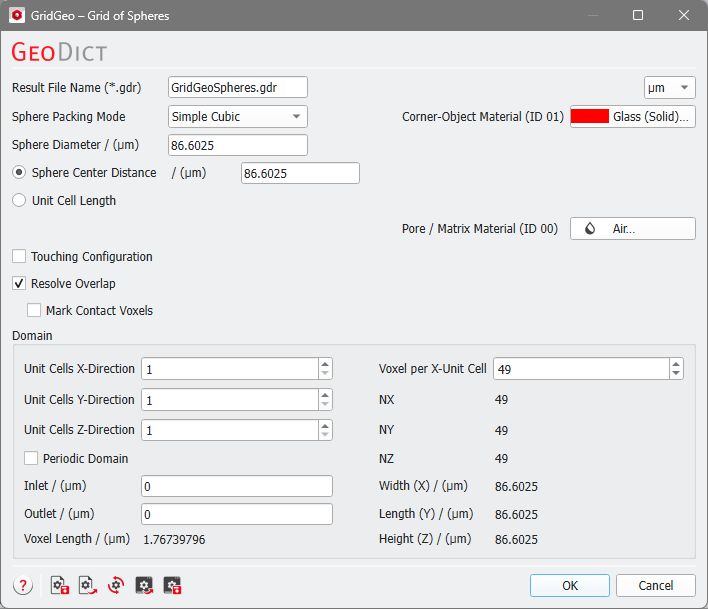
The dialog can be divided into three main components which are described in the following.
The Grid of Spheres parameters |
|---|
|
