Results
After the GAD Objects Orientation calculation is finished, the resulting files are saved in the project folder and a Result Viewer with the GeoDict result file opens automatically. The created GeoDict result file (*.gdr) contains four tabs. The computational results are shown under the Results tab. The other three tabs (Input Map, Log Map, and Metadata) display additional information about the computation.
Find more details on the general functionalities in the Result Viewer user guide.
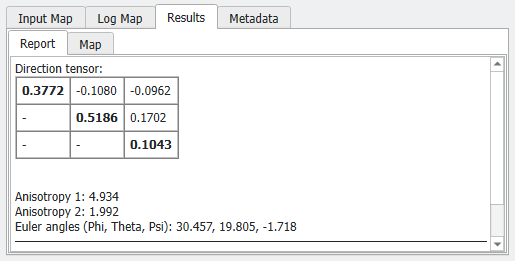
The definition of these parameters is the same as in other modules, e.g., in FiberGeo. See Fiber Orientation Parameters for a more detailed description of these parameters.
You can then use the results of MatDict GAD Objects Orientation to generate a 3D structure that has a similar orientation using one of the Material Modeling modules.
