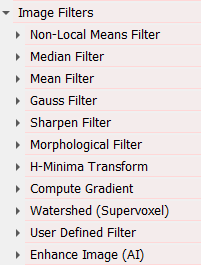
Applying image enhancement filters to complete 3D image data can be very time-consuming. To avoid long processing times, you can Preview the effect of the filter parameters before applying them to the complete dataset. Click Preview for any of the filters, where this option is available to open the Parameter Gallery for dialog showing the effect of the entered filter parameters on the image.
On the left side of the dialog you can set the Gray Value Range, Threshold Visibility, Threshold, and some viewing parameters such as the View Direction, the Zoom Factor, and the X-Slice, Y-, and Z-Range, which define the size of the preview sub-region and the visible plane.
Click Create / Update Preview to render a set of images that can be used to identify the wanted filter effect.
Depending on the filter, different preview Parameters can be set.
For the Median Filter, the Mean Filter, and the Morphological Filter, a range of Radii (here 1 to 3 voxels) can be chosen.
For the Gauss Filter, Sharpen Filter, and the Non-Local Means Filter, one of the parameters can be chosen to be a Varying Parameter, while a fixed value is entered for all other parameters.
For example, here, for the Non-Local Means Filter, the Patch Radius is set to be the Varying Parameter whereas the Window Radius, the Strength, and Prefilter have fixed values.
Select the best parameter combination on the right by simply clicking on the desired image. After closing the dialog, these parameters are entered automatically for the corresponding filter.
|